AI PCs: Unleashing Next-Level Personal Productivity & Innovation
Introduction: The Most Significant Shift in Computing in 30 Years
For decades, the personal computer has evolved predictably: faster processors, more memory, and sharper screens. But now, we’re on the cusp of the most profound transformation since the internet went mainstream. Welcome to the new era of PCs—the age of the AI PC.
You’ve likely heard the term buzzing around, championed by giants like Microsoft, Intel, Qualcomm, and AMD. But what is an AI PC, really? It’s not just a marketing gimmick or a laptop that can run a chatbot. It represents a fundamental architectural shift in next-gen computing, designed from the silicon up to think, learn, and reason alongside you.
This isn’t about AI in the cloud, where your data is sent to a distant server for processing. This is about powerful, efficient, and private on-device AI that lives directly on your laptop. This evolution is powered by groundbreaking AI hardware innovation, promising to redefine everything from your daily workflow to your creative potential.
In this comprehensive guide, we’ll demystify the world of AI powered laptops. We’ll explore the game-changing technology that makes them tick, unpack the tangible AI PC benefits that will impact your work and life, and help you understand if this is the right time to embrace the future of laptops.
What Exactly is an AI PC? Moving Beyond the Hype
An AI PC is a personal computer that features a dedicated microprocessor specifically designed to accelerate artificial intelligence and machine learning workloads efficiently. While traditional PCs have handled AI tasks using their Central Processing Unit (CPU) and Graphics Processing Unit (GPU), this approach is often slow and drains the battery.
The key differentiator in an AI PC is the addition of a third, specialized processor: the Neural Processing Unit (NPU).
The Three Pillars of an AI PC: CPU, GPU, and the Game-Changing NPU
Think of your computer’s processing power as a specialized team.
- The CPU (Central Processing Unit): This is the General Manager. It’s a versatile, high-speed workhorse that handles all the system’s core operations and general computing tasks, from running your operating system to managing applications.
- The GPU (Graphics Processing Unit): This is the Creative Director. Originally designed for rendering complex graphics in video games, its parallel processing power makes it excellent for creative tasks and, until now, the primary engine for demanding AI model training.
- The NPU (Neural Processing Unit): This is the new AI Specialist. The NPU is a purpose-built accelerator, a piece of AI chip technology specifically engineered to run AI and machine learning algorithms with maximum efficiency. It’s designed to handle millions of small, repetitive calculations—the lifeblood of AI—at incredible speeds while consuming very little power.
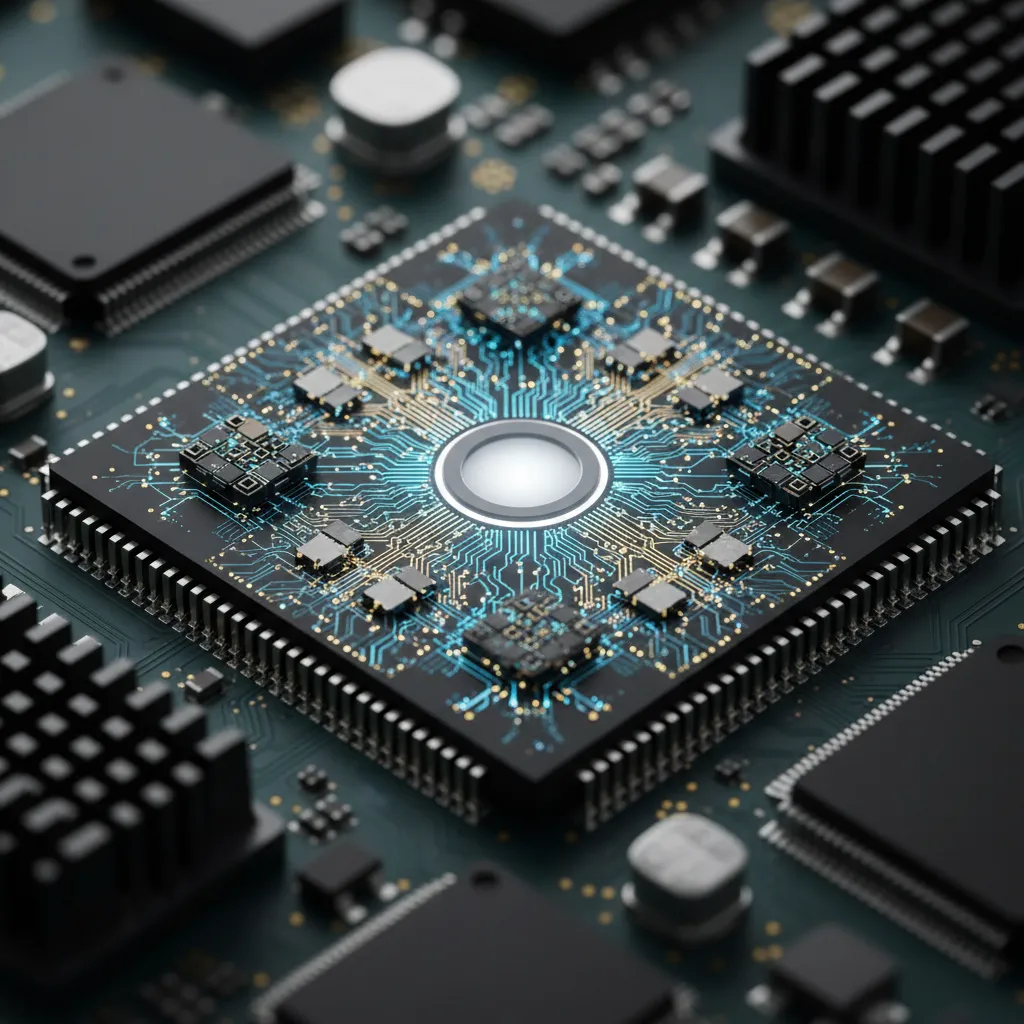
By offloading sustained AI tasks to the NPU, the AI PC frees up the CPU and GPU to focus on what they do best. The result is a system that is not just faster, but fundamentally smarter and more efficient. This is the core of smarter computing.
On-Device AI vs. Cloud AI: The Privacy and Speed Revolution
For the past few years, our interactions with advanced AI like ChatGPT or Midjourney have been cloud-based. You type a prompt, it travels across the internet to a massive data center, gets processed by a supercomputer, and the result is sent back to you.
AI PCs champion a different approach: On-device intelligence, also known as Edge AI computing.
By processing AI tasks locally on the NPU, AI PCs offer transformative advantages:
- Enhanced Data Privacy: Your personal information—documents, emails, photos, conversations—doesn’t need to leave your device to be analyzed. This is a monumental leap for data privacy AI PCs can offer, reducing the risk of data breaches and giving you complete control over your sensitive information.
- Blazing-Fast Speed: With no round-trip to the cloud, the response is instantaneous. AI features feel seamlessly integrated into your workflow, not like a separate, laggy web service. This low latency is crucial for real-time applications like live translation or AI-powered video effects.
- Offline Capability: Many AI features will work perfectly even without an internet connection, a game-changer for productivity on the go.
- Reduced Costs: For both users and developers, constantly running AI models in the cloud can be expensive. On-device processing reduces this reliance on costly server infrastructure.
This local-first approach doesn’t mean the cloud is obsolete. The future is hybrid, where your AI PC handles immediate, personal tasks, while tapping into the immense power of the cloud for more complex, large-scale computations.
The Dawn of a New Era: Enter the Copilot+ PC
To standardize and market this new category of devices, Microsoft has introduced Copilot+ PC, a new brand for AI-infused Windows computers. A laptop can only carry the Copilot+ PC name if it meets a specific, high-performance standard for AI.
This isn’t just about having an NPU; it’s about guaranteeing a baseline level of personal AI performance that can deliver next-generation experiences.
Hardware Requirements: The Baseline for True AI Performance
To qualify as a Copilot+ PC, a machine must meet several key criteria:
- A Powerful NPU: The system’s NPU must be capable of over 40 TOPS (Trillions of Operations Per Second). This is the key metric ensuring it can handle demanding AI tasks.
- Sufficient Memory: A minimum of 16GB of RAM is required to manage large AI models and ensure smooth multitasking.
- Fast Storage: At least a 256GB SSD is mandated for quick access to system files and applications.
Spotlight on the Snapdragon X Elite: Redefining Laptop Performance
The first wave of Copilot+ PCs is largely powered by Qualcomm’s groundbreaking Snapdragon X Elite processor. This ARM-based chip has shaken up the industry, delivering not only a high-performance NPU (rated at 45 TOPS) but also offering incredible CPU performance that rivals and, in some cases, exceeds that of its competitors.
The most significant promise of the Snapdragon X Elite is its phenomenal efficiency. This translates directly into one of the most sought-after AI PC advantages: a true, all-day (and sometimes multi-day) battery life, even under heavy use. This combination of raw power and long-lasting efficiency is setting a new standard for the best AI laptops 2024.
Exclusive Copilot+ Features You Can Use Today
So, what can these new machines actually do? Copilot+ PCs launched with a suite of exclusive AI features that demonstrate the power of on-device intelligence:
- Recall: This controversial but powerful feature creates a searchable, visual timeline of virtually everything you’ve ever done on your PC. It uses on-device AI to analyze your screen’s content, allowing you to find a file, website, or email using natural language, even if you can’t remember its name.
- Cocreator in Paint & Photos: Go beyond basic image editing. You can now generate and refine images using text prompts and simple sketches directly within the Paint and Photos apps, showcasing enhanced creativity AI.
- Live Captions with Real-Time Translation: This feature provides live subtitles for any audio coming from your PC—whether it’s a video call, a movie, or a podcast—and can translate it from over 40 languages into English in real-time, all offline.
- Windows Studio Effects: Your video calls get a major upgrade with AI-powered enhancements like improved background blur, eye-contact correction, and creative filters that run more efficiently than ever before.
Tangible AI PC Benefits: How It Will Revolutionize Your Daily Workflow
The shift to AI PCs is about more than just a few new features. It’s about creating a computing experience that is more helpful, intuitive, and seamlessly integrated into every aspect of your life. This is the core of productivity with AI PCs.
Supercharged Productivity and Multitasking
Imagine a workflow where your PC is an active partner, not just a passive tool. AI PCs are set to automate the mundane and accelerate the complex.
- Intelligent Assistance: Your PC will summarize long email threads, draft replies in your tone, and schedule meetings automatically.
- Data Analysis on the Fly: For professionals, an AI PC can analyze spreadsheets, generate charts, and identify key trends with simple natural language commands.
- Streamlined Operations: Repetitive tasks that once required complex macros can be automated with simple instructions, freeing up your time for strategic thinking. Related: The AI Search Revolution: A New Era of Discovery is exploring how AI is changing our access to information.
Unleashing Enhanced Creativity for All
AI is no longer just for professional artists and designers. AI PC applications for creativity are making powerful tools accessible to everyone.
- From Idea to Reality: Generate visual concepts for a presentation, create custom illustrations for a social media post, or even compose a background track for your video—all with simple text prompts.
- Overcoming Creative Blocks: Your AI PC can act as a brainstorming partner, suggesting ideas, refining concepts, and providing inspiration when you feel stuck. The potential for new forms of expression is limitless, touching on everything from visual arts to interactive narratives. Related: AI Interactive Storytelling: Crafting Immersive Worlds delves deeper into this creative frontier.
A Truly Personalized and Predictive Computing Experience
This is where the magic of personalized computing AI comes to life. By learning your habits, preferences, and workflows locally and privately, your AI PC will begin to anticipate your needs.
- Proactive Assistance: It might suggest opening the apps and files you need for your upcoming meeting before you even think to look for them.
- Adaptive Learning: For students, the PC can create personalized study guides, quiz them on complex topics, and adapt the learning material to their pace. Related: AI in Education: Revolutionizing Learning and Teaching explains this educational shift in detail.
- Curated Content: Your news feeds, app suggestions, and even system settings will subtly adapt to serve you better over time, creating a computing experience that is uniquely yours.

Unprecedented Efficiency and All-Day Battery Life
One of the most immediate and tangible benefits is the dramatic improvement in AI PC efficiency. As mentioned, the NPU handles AI tasks using a fraction of the power a CPU or GPU would need.
This has two major impacts:
- Sustained Performance: The system remains cool and quiet, allowing for peak performance over longer periods without thermal throttling.
- Marathon Battery Life: The power savings from the NPU, combined with the efficiency of new ARM-based processors like the Snapdragon X Elite, finally deliver on the promise of a laptop that can comfortably last a full day of heavy use, and often more.
AI PC vs. Traditional Laptop: Is It Time to Upgrade?
With all this new technology, the central question for many is: “How is this really different from my current laptop, and should I upgrade?” The AI PC vs traditional laptop debate boils down to future-proofing and a new performance paradigm.
The Core Difference: Specialized vs. Generalized Hardware
The fundamental distinction lies in the hardware. A traditional laptop uses its general-purpose CPU and graphics-focused GPU to brute-force AI tasks. An AI PC has a dedicated, highly efficient AI specialist—the NPU—that is custom-built for the job. It’s the difference between using an adjustable wrench for every job and having a perfectly sized, specialized tool that does the work faster and with less effort.
A Head-to-Head Comparison
| Feature | Traditional Laptop | AI PC |
|---|---|---|
| Core Architecture | CPU & GPU | CPU, GPU & NPU |
| AI Task Handling | Slow and power-hungry (on CPU/GPU) | Fast, cool, and efficient (on NPU) |
| Key Capabilities | Standard OS features, cloud-based AI | All standard features + powerful on-device AI |
| Performance Focus | General-purpose speed | Balanced performance for both general and AI tasks |
| Battery Life | Standard; often drains quickly under load | Significantly longer due to NPU and SoC efficiency |
| Data Privacy | Relies on sending data to the cloud for AI | Enhanced privacy with local, edge AI computing |
Who Needs an AI PC Right Now?
While everyone will eventually benefit from AI PCs, certain users will find the advantages immediately transformative for their AI PC for work:
- Content Creators & Designers: The ability to run generative AI tools for image, video, and audio locally is a massive boost to creative workflows.
- Developers & Data Scientists: An NPU allows for faster model testing, inference, and development of AI-powered applications directly on their local machine.
- Business Professionals & Students: The productivity gains from AI-powered summarization, email drafting, real-time translation, and multitasking assistance are immediate and substantial.
- Tech Enthusiasts & Early Adopters: Anyone who wants to be on the cutting edge of personal technology and experience the next wave of software innovation will find AI PCs compelling.
The Future of Laptops is Here: What’s Next for AI PCs?
The launch of Copilot+ PCs is just the beginning. We are at the dawn of a new software boom, where developers will create applications specifically designed to leverage the NPU. The future work with AI PCs will be more collaborative, intelligent, and efficient.
We can expect to see AI more deeply woven into the fabric of the operating system, becoming an ambient, ever-present assistant. This intelligence will extend beyond the PC, creating a seamless ecosystem of AI-powered devices that understand and serve us better. This same technology will power smarter infrastructure in our homes and cities. Related: AI for Green Cities: Sustainable Urban Planning and Related: Your Guide to AI-Powered Smart Homes and Sustainable Living touch on these broader applications.

This level of AI in personal tech will continue to evolve, impacting every industry from healthcare to agriculture. To learn more about AI’s transformative potential, check out our articles on The AI Revolution in Healthcare and AI & Regenerative Agriculture.
Conclusion: A New Partnership with Your PC
AI PCs are not just an incremental upgrade; they represent a paradigm shift. They are the transition from a tool we command to a partner we collaborate with. By bringing high-performance AI from the distant cloud to the local device, they offer an unprecedented combination of power, privacy, personalization, and efficiency.
The core of this revolution is the Neural Processing Unit (NPU), the specialized engine that will drive the next generation of software experiences. From supercharging your productivity and creativity to offering a truly intelligent and responsive interface, the benefits are tangible and poised to grow exponentially as developers unlock the full potential of this AI hardware innovation.
The new era of personal computing has arrived. It’s faster, smarter, and understands you better than ever before. Are you ready to explore its potential?
Discover more about how AI is shaping our world on the HiFi Studio And Mobile blog.
Frequently Asked Questions About AI PCs
Q1. What exactly is an AI PC?
An AI PC is a personal computer equipped with a dedicated Neural Processing Unit (NPU) in addition to the traditional CPU and GPU. This specialized hardware is designed to accelerate AI and machine learning tasks efficiently, enabling powerful on-device AI features with improved speed and battery life.
Q2. What is an NPU in a laptop?
An NPU, or Neural Processing Unit, is a specialized microprocessor designed specifically for AI and machine learning. It excels at handling the massive number of parallel calculations required by AI algorithms, doing so much more efficiently and with far less power consumption than a general-purpose CPU or a graphics-oriented GPU.
Q3. Do I really need an AI PC?
While you may not need one today, the entire software industry is shifting to take advantage of on-device AI. If you are a professional, creator, developer, or simply want to be ready for the next generation of applications, upgrading to an AI PC will provide significant performance, productivity, and battery life benefits. Over the next few years, they will become the standard.
Q4. What is a Copilot+ PC?
Copilot+ PC is a brand and a technical standard created by Microsoft for a new category of Windows PCs designed for AI. To earn the name, these devices must meet stringent performance requirements, including having an NPU capable of over 40 Trillion Operations Per Second (TOPS), ensuring they can run advanced on-device AI experiences.
Q5. How does an AI PC improve privacy?
An AI PC improves privacy by performing AI tasks directly on your device (Edge AI computing) rather than sending your data to the cloud. Because your personal files, emails, and other sensitive information are processed locally by the NPU, there is a significantly lower risk of exposure in a cloud data breach.
Q6. Are all new laptops AI PCs?
Not yet, but the trend is moving quickly in that direction. The most prominent current examples are devices designated as “Copilot+ PCs,” like those powered by the Snapdragon X Elite. Major chipmakers like Intel (with Core Ultra) and AMD (with Ryzen AI) are also heavily investing in NPU technology, and it is expected to become a standard feature in most new laptops over the next couple of years.
Q7. Can my current PC run AI applications?
Yes, your current PC can run many AI applications, but it will do so using the CPU and/or GPU. This process is generally slower, less efficient, and consumes more battery power compared to an AI PC with a dedicated NPU. You will miss out on the speed, efficiency, and upcoming on-device features exclusive to the new generation of AI PCs.