What is Apple Intelligence? A Guide to iOS 18’s New AI

Introduction: Defining the Next Era of Personal Computing
For years, the promise of true artificial intelligence integrated seamlessly into our daily digital lives remained a futuristic concept. That changed with the unveiling of Apple Intelligence, a massive, transformative update marking Apple’s entry into the generative AI landscape. It is not just a feature; it is a fundamental reworking of how we interact with our iPhone, iPad, and Mac.
What is Apple Intelligence? In short, it is the new personal intelligence system built directly into iOS 18, iPadOS 18, and macOS Sequoia AI. This system leverages the power of deep learning models to understand your personal context—your schedule, your relationships, your conversations, and your photos—to provide hyper-relevant assistance across all core apps. Unlike general-purpose AI models, Apple Intelligence is designed to be deeply private and profoundly useful, living primarily on-device.
The core goal of Apple Intelligence is to make your devices more capable and intuitive by helping you with the three major areas of daily life: writing and language, image and creative expression, and taking action and staying organized.
In this comprehensive guide, we will unpack the monumental iOS 18 AI features, delve into the groundbreaking privacy technology that powers it, explain which models are Apple Intelligence supported devices, and detail exactly how to get Apple Intelligence when it officially rolls out.
The Foundational Philosophy: Personal Context and Utility
The foundational difference between Apple Intelligence and many competitor large language models (LLMs) lies in its commitment to personal context and privacy. Apple views AI not as a separate search engine or chatbot, but as an assistant that truly knows you, without compromising your data.
1. Understanding Personal Context
The power of personal context AI Apple is the ability for the system to reference information scattered across your device in real-time.
- If you ask Siri, “When is my mom’s flight landing?”, Apple Intelligence doesn’t just search the web. It correlates a text message from your mom confirming the airport code, a confirmation email with the flight number, and your current calendar entry for “picking up Mom.” It then provides a precise, actionable answer.
- This integration means tasks like summarizing a long email thread or finding a specific photo based on a verbal description (e.g., “the picture I took of the sunset while I was in Italy last summer with Sarah”) become immediate and accurate.
2. Deep Integration Across the Apple Ecosystem
Apple Intelligence is woven into the very fabric of the operating systems. It is not a separate application you launch; it appears when and where you need it, across all major apps like Mail, Notes, Pages, Photos, and Messages. This deep integration is crucial for maximizing the utility of the Apple AI features explained in the following sections.
[Related: AI Tools Revolutionizing Everyday Productivity]
Key Features of the iOS 18 AI Revolution
The launch introduces several major feature clusters that dramatically upgrade the user experience on compatible devices. These features address core productivity and creative needs.
The Next Generation of Siri: Smarter, Contextual, and Adaptive
The Siri new update is perhaps the most visible and long-awaited change. Apple Intelligence completely overhauls the decade-old voice assistant, transforming it into a proactive, conversationally fluent, and aware partner.
The new Siri is characterized by:
1. Contextual Awareness
The contextual awareness Siri is game-changing. Siri can now maintain the context of your conversation across multiple turns. If you ask Siri to summarize an article you are currently reading, and then follow up with, “Now, add that summary to my daily work log,” Siri understands that “that summary” refers to the text from the article.
2. On-Screen Awareness
Siri can now interact with and understand what is displayed on your screen. You can literally circle or point to an element and ask Siri to perform an action on it. For example, if a friend sends an address in a message, you can invoke Siri and say, “Save this address as a new contact entry.” The assistant will use the text shown on the screen to complete the task. This leverages on-device AI iPhone capabilities to keep your screen data local and private.
3. Typing to Siri
Recognizing that speaking isn’t always convenient, Apple has made it possible to type queries to Siri at any time. When you activate Siri, you can switch seamlessly between voice and text input, ensuring you always have access to its smart features, whether you’re in a crowded public space or a quiet meeting.

AI Writing Tools: Perfecting Your Prose
The Writing Tools iOS 18 suite brings powerful AI assistance directly into the system’s text fields, making it available in Mail, Notes, Pages, and even third-party apps.
1. Rewrite and Proofread
This is a massive boost for productivity. The AI can instantly analyze your writing and offer suggestions for tone, clarity, and conciseness.
- Rewrite: Need to change the tone of an email from casual to professional? The Rewrite tool instantly offers variations.
- Proofread: Beyond basic spell check, the Proofread feature checks grammar, sentence structure, and word choice, helping users refine their communication.
2. Summarization
Dealing with long documents or overflowing inboxes is simplified with the ability to summarize emails iOS 18 and long threads in Notes or Safari. The AI provides key takeaways in bulleted lists or narrative paragraphs, saving significant time.
Example Application: A user opens their Mail app, which contains a thread of 50 messages regarding a project update. Apple Intelligence instantly offers a concise summary at the top: “Team 3 approved the budget proposal but needs confirmation on Q4 deployment dates. Marketing needs final copy by Tuesday.”

Expressive AI Creation: Genmoji and Image Playground
Apple Intelligence introduces fun, creative features that leverage generative AI for personal expression. These tools are designed to be simple, fast, and accessible right within the messaging and note-taking interfaces.
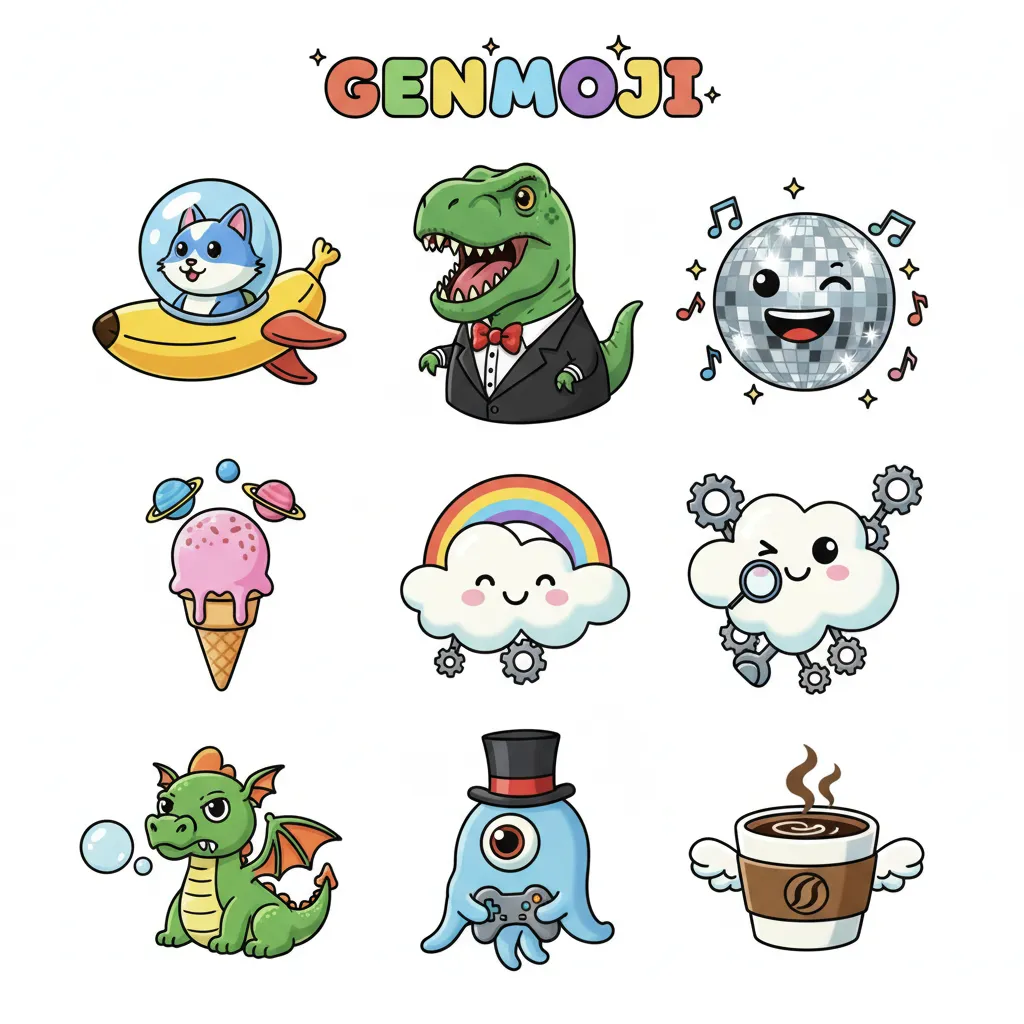
1. Genmoji: Custom Emojis
Tired of the standard emoji library? Genmoji allows users to create custom emoji iPhone based on simple text descriptions.
- Imagine sending a text: “I’m so excited for the concert!” and instantly generating a unique emoji of “a smiling T-Rex wearing a party hat” to accompany it.
- These are not just static images; they can be used as stickers, reactions, or embedded directly into text messages.
2. Image Playground
The Image Playground feature brings creative image generation to life, focusing on speed and style. It is designed for casual use within Messages, Notes, and Freeform.
Users can generate images in three distinct styles:
- Animation: Cartoon-like, playful images.
- Illustration: Hand-drawn or sketch-style art.
- Sketch: Simple, black-and-white line drawings.
This allows users to quickly visualize concepts or create visual replies without needing to spend time on complex prompts or dedicated art apps. The intent is rapid, integrated creation.
Enhanced Photo Capabilities
The Photos app also receives a major boost, primarily in organization and editing.
- Memory Movies: The AI can intelligently select the best photos and videos from an event, automatically crafting a movie complete with a narrative arc, titles, and appropriate background music.
- Clean Up (Apple AI photo editing): Similar to tools found in Google Photos, this feature allows users to easily remove distracting objects or people from the background of a photograph with natural, seamless results. This addresses a common user need for quick, precise photo enhancement.
Under the Hood: Privacy, Security, and Processing Power
The technical architecture behind Apple Intelligence is perhaps its most crucial and distinguishing characteristic, especially concerning user trust and privacy. Apple had to solve the dilemma of providing powerful generative AI while maintaining its strict privacy standards.
The Power of On-Device Processing
A large portion of the AI workload is handled locally via on-device AI iPhone processing. This is only possible due to the powerful Neural Engine built into Apple silicon.
- Speed and Efficiency: Running models locally means features like Proofread, Genmoji creation, and immediate contextual awareness Siri happen instantly, without relying on network latency.
- Privacy First: Crucially, if the computation is done on your device, your personal data—your messages, photos, and calendar—never leaves your local hardware, providing maximum Apple Intelligence privacy.
However, some highly complex, resource-intensive queries (like generating sophisticated images or summarizing very long documents) require a larger model than can fit on a typical phone chip. This is where Apple’s revolutionary infrastructure comes into play.
Introducing Private Cloud Compute (PCC)
Apple’s solution for scaling AI processing without compromising privacy is Private Cloud Compute (PCC). This is a novel, security-focused cloud architecture.
How Private Cloud Compute Works
- Security Enclaves: When an on-device model determines that a query is too complex for local processing, it securely sends the request to PCC. These cloud servers utilize custom Apple silicon (like Mac servers) designed with hardware-based security enclaves.
- Ephemeral Sessions: The data sent to PCC is stripped of any identifying personal metadata and is only used to process the specific query. The sessions are ephemeral, meaning they are not stored, logged, or retained by Apple.
- Auditable Security: Apple has stated that experts can cryptographically inspect the software running on the PCC servers to ensure they are only running the intended Apple Intelligence models and are adhering to the privacy guarantees. This radical transparency is a core differentiator in addressing Apple Intelligence privacy concerns.
This balance allows users to access massive cloud model power for advanced queries while maintaining the cryptographic assurance that their data remains private.

The OpenAI Integration: Expanding Capabilities
To handle general knowledge, web searches, and even more sophisticated creative requests outside the scope of personal context, Apple has partnered with OpenAI to integrate the widely respected GPT-4o model. This is key to addressing the query: Apple Intelligence vs ChatGPT.
The Synergistic Approach
The integration works intelligently and optionally:
- AI Prioritization: Apple Intelligence first attempts to resolve every request using its on-device and PCC models, prioritizing personalized actions.
- Permission Request: If a query requires general world knowledge or a complex non-personal generation that only a large model like GPT-4o can handle, Siri will ask the user for explicit permission before sending the query to OpenAI.
- Anonymity: Even when the query is sent via the Apple ChatGPT integration, Apple ensures that the user’s IP address is masked, and the session is stripped of any identifiers linking it back to the user’s Apple ID. OpenAI, in turn, has committed not to store these requests.
This hybrid approach allows Apple Intelligence to offer both deep personal utility (where privacy is paramount) and broad general knowledge (where a powerful cloud model is necessary).
[Related: Quantum AI: The Next Frontier of Intelligent Computing]
Compatibility and Availability: Getting Apple Intelligence
One of the most pressing questions surrounding the announcement is will my iPhone get Apple Intelligence? The answer is clear but restrictive, tied directly to the hardware requirements of running these sophisticated on-device models.
Which Devices Are Apple Intelligence Supported Devices?
The system requires a significant amount of computational power, specifically the advanced Neural Engine found in Apple’s latest chips.
The official compatibility list includes:
| Device Type | Required Chip | Operating System |
|---|---|---|
| iPhone | A17 Pro (or later) | iOS 18 |
| iPad | M1 chip (or later) | iPadOS 18 |
| Mac | M1 chip (or later) | macOS Sequoia |
This means that Apple Intelligence is available on:
- iPhones: iPhone 15 Pro and iPhone 15 Pro AI (and future models).
- iPads and Macs: All devices running an M1 chip Apple Intelligence, M2, M3, or the upcoming M4 chips.
Devices older than the iPhone 15 Pro (such as the iPhone 15, iPhone 14 series, and earlier) do not possess the necessary A-series chip architecture with enough Neural Engine cores to handle the base model computations, meaning they will not receive the full suite of features.
Why the High Chip Requirement?
The requirement for the A17 Pro chip (and M-series chips) is a critical technical boundary, not merely a marketing decision.
The primary reason is the TFLOPS (trillions of operations per second) capability of the Neural Engine. To run a complex language model locally and deliver responses instantaneously, the chip must be able to move massive amounts of data efficiently. The A17 Pro chip and all M-series chips offer a significantly more powerful and efficient Neural Engine compared to predecessors, enabling fast, localized execution of the system’s core features. This ensures a consistent, high-speed experience crucial for features like smarter Siri and immediate rewriting tools.
When Is the Apple Intelligence Release Date?
Apple Intelligence will be integrated into the upcoming operating system updates: iOS 18, iPadOS 18, and macOS Sequoia.
- Developer/Public Beta: Access began shortly after the WWDC 2024 announcement for developers, followed by public beta access. This allows eager users to get a preview of Apple Intelligence beta features.
- Full Public Release: The initial phase of Apple Intelligence features is expected to launch alongside the full release of iOS 18 and macOS Sequoia, typically in the Fall (September/October) of the launch year.
Is Apple Intelligence Free?
Yes, is Apple Intelligence free? Apple has confirmed that the core features of Apple Intelligence will be available to all owners of compatible devices at no extra cost. It is a feature built into the operating system, just like Safari or the Photos app.
There is no mention of a subscription tier for the initial set of features. The occasional use of the integrated ChatGPT model is also provided free of charge by Apple, although users will have the option to link their own paid ChatGPT accounts for enhanced access if they desire.
Practical Applications and Apple Intelligence Review
To fully appreciate the impact of this new system, it helps to see how various features combine to solve real-world problems. The promise of the best Apple Intelligence features is in their seamless combination.
Case Study 1: The Project Manager’s Inbox
A project manager starts their day overwhelmed by 50 new emails.
- Summarization: They use the summarize emails iOS 18 feature in Mail to get instant, prioritized digests of long threads.
- Actionable Insights: Siri, now with contextual awareness Siri, surfaces a notification: “Two key vendors need signed contracts. Do you want me to search for the drafts in your Files and send a reminder to Legal?”
- Communication: The manager needs to send a firm but diplomatic rejection to a late proposal. They type a quick, messy draft, then use the Writing Tools iOS 18 Rewrite feature to transform it into a polished, professional message in seconds.
Case Study 2: The Family Photo Archivist
A parent is trying to create a meaningful family archive from a recent vacation.
- AI Photo Editing: They notice a tourist standing awkwardly in the background of a perfect shot of their child. They use the Apple AI photo editing ‘Clean Up’ tool to remove the person instantly and non-destructively.
- Organization: They ask Siri, “Show me all photos of Mark smiling on the beach from the trip to Florida.” Siri instantly filters images using both location data, object recognition, and facial recognition, demonstrating deep semantic search.
- Creative Expression: While texting a relative about the trip, they use Genmoji to create a custom sticker of “a surfing dog wearing sunglasses” to capture the casual, fun vibe of the vacation.
[Related: The Canvas Awakens: AI Art Redefining Creativity]
Conclusion: The Future is Personal and Private
Apple Intelligence is more than just a catch-up maneuver in the AI race; it is a strategic repositioning of Apple’s ecosystem around personal utility and guaranteed privacy. By anchoring the most powerful features to on-device processing and backing complex queries with the novel Private Cloud Compute, Apple has built a system that aims to deliver powerful generative AI without requiring users to sacrifice their data.
The integration of smarter Siri, the robust Writing Tools iOS 18, and innovative creative features like Genmoji are set to fundamentally change how millions of users interact with their devices daily. While compatibility is currently limited to newer devices—requiring the iPhone 15 Pro AI or the M1 chip Apple Intelligence and later—this ensures a premium, high-speed, and deeply personalized AI experience that is poised to set a new standard for intelligent technology.
As iOS 18 AI features roll out in full, the digital world of HiFi Studio And Mobile readers will become more responsive, more intuitive, and, most importantly, more genuinely helpful. The future of personal computing is here, and it finally knows your name.
FAQs: People Also Ask About Apple Intelligence
Q1. What is Apple Intelligence?
Apple Intelligence is the new personal intelligence system integrated across iOS 18, iPadOS 18, and macOS Sequoia. It combines powerful generative AI models with the user’s personal context (emails, messages, photos) to provide highly relevant assistance, writing tools, and creative features while prioritizing user privacy through on-device processing and Private Cloud Compute.
Q2. How is Apple Intelligence different from ChatGPT?
Apple Intelligence vs ChatGPT centers primarily on privacy and focus. Apple Intelligence is designed to use your personal context (on-device data) for personalized actions, operating mostly locally or via the non-logging Private Cloud Compute. ChatGPT (or GPT-4o) is a general-purpose large language model focused on broad knowledge and text generation. Apple integrates ChatGPT only for general knowledge queries when required, and only with user permission and guaranteed anonymity.
Q3. Which devices support Apple Intelligence?
The full suite of Apple Intelligence features is only supported by devices equipped with the A17 Pro chip or any M-series chip. This includes the iPhone 15 Pro, iPhone 15 Pro Max, and all Macs and iPads running the M1 chip or newer processors. Older devices do not have the required Neural Engine power for the core on-device AI iPhone capabilities.
Q4. Is Apple Intelligence included with iOS 18, or is it a separate subscription?
Is Apple Intelligence free? Yes, the core features of Apple Intelligence are provided free of charge as an integral part of iOS 18, iPadOS 18, and macOS Sequoia. No additional subscription is required to access features like Writing Tools, Genmoji, or the new Siri capabilities.
Q5. What is Private Cloud Compute and why is it important for Apple Intelligence privacy?
Private Cloud Compute (PCC) is Apple’s novel cloud infrastructure used for complex AI tasks that require more power than an on-device chip can provide. It is important because it guarantees Apple Intelligence privacy: the servers use custom Apple Silicon and hardware security enclaves to ensure user data is never stored or logged, and is used only briefly to complete the specific query, which external security experts can verify.
Q6. When can I start using Apple Intelligence features like Genmoji?
The Apple Intelligence release date for the public will coincide with the final, stable release of iOS 18, typically in the Fall (around September or October) following its announcement. Some features are rolling out in the developer and public Apple Intelligence beta programs over the summer.
Q7. How does the new Siri use personal context?
The contextual awareness Siri analyzes information across your Apple apps (Mail, Messages, Calendar, Notes, etc.) to understand the relationships and next steps related to your query. For example, if you ask Siri to remind you of something, it will ask if you mean when you see a specific person or arrive at a specific place mentioned in a recent message, making reminders highly proactive and personalized.
Q8. Does Apple Intelligence support third-party apps?
Yes, Apple has built the Writing Tools iOS 18 and other system-wide features to be accessible within standard text input fields, meaning third-party apps that utilize the default system text input will automatically gain access to features like Proofread, Rewrite, and Summarization.