What is an AI PC? The Next-Gen Laptop Revolution

Introduction: Why Your Next Laptop Needs to Be Intelligent
For decades, the personal computer architecture remained largely the same: a central processing unit (CPU) handles general tasks, and a graphics processing unit (GPU) tackles visual and parallel workloads. But the rise of massive language models and generative AI has thrown a wrench into this paradigm, demanding entirely new levels of specialized performance.
Welcome to the era of the AI PC.
This isn’t just marketing jargon; it represents the most significant architectural shift in computing since the introduction of dedicated GPUs. An AI PC is fundamentally a computer designed specifically to run powerful machine learning models and on-device AI applications locally, without constant reliance on the cloud. It is the core of the next-gen laptops and a mandatory requirement for the future of productivity.
The driving force behind this revolution is a brand-new piece of silicon: the NPU (Neural Processing Unit).
This article will break down exactly what is an AI PC, explore the core technology that makes it work, detail the transformative benefits of on-device AI, and guide you through the key processors—like the Snapdragon X Elite, Intel Lunar Lake, and AMD Strix Point—that are defining this new age of intelligent computing. Whether you are a casual user, a content creator, or a tech enthusiast, understanding the shift to AI hardware is essential for future-proof technology planning.
The Definition: Moving AI Processing from the Cloud to Your Desk
The simplest definition of an AI PC is a personal computer, typically a laptop, that includes a dedicated accelerator for handling deep learning and machine learning tasks. While traditional PCs can run some AI workloads on the CPU or GPU, a true AI PC is characterized by three pillars:
- A Powerful CPU/GPU combination: For traditional software and graphics tasks.
- A dedicated NPU (Neural Processing Unit): The specialized engine for low-latency, high-efficiency AI acceleration.
- An Operating System (OS) optimized for AI: Such as Microsoft’s Copilot+ PC platform, which integrates AI features directly into the core user experience.
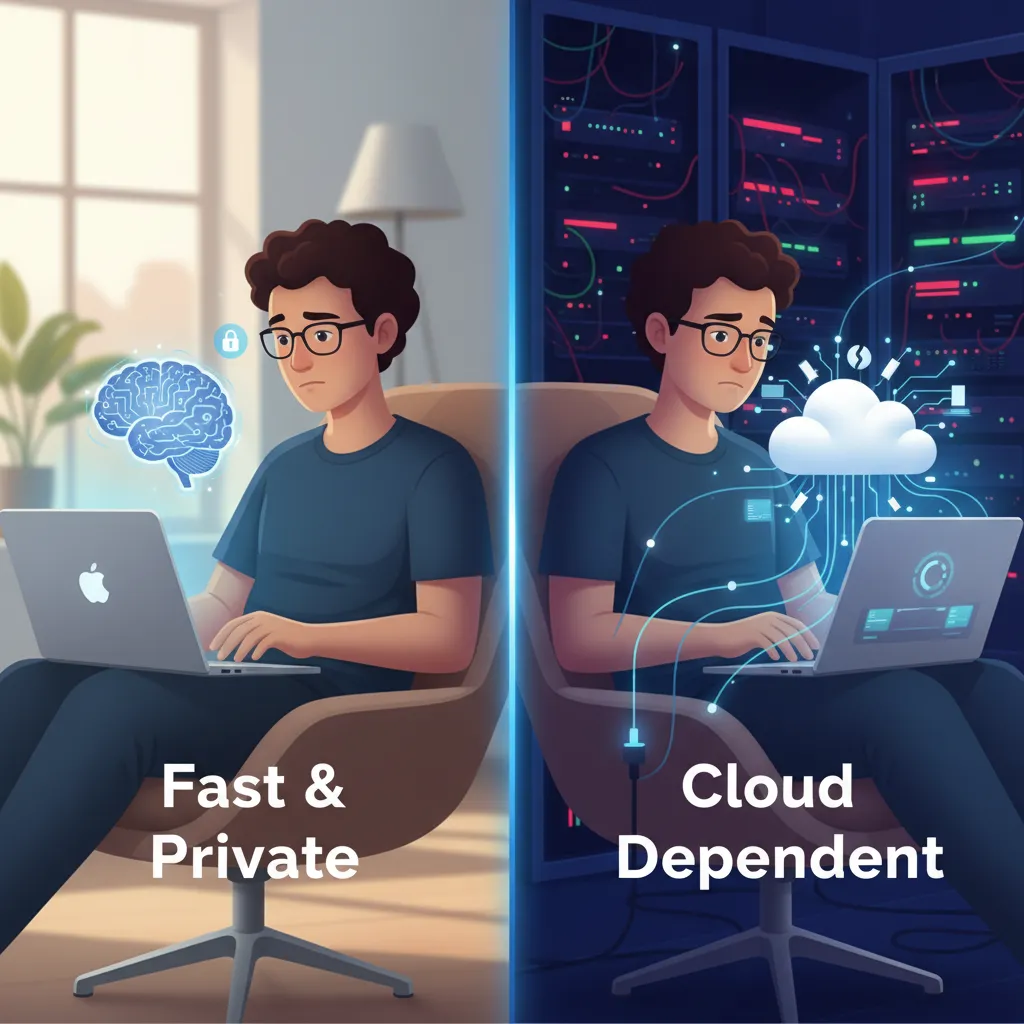
The shift is from cloud-centric AI (where your query travels to a distant server, is processed, and then returned) to local AI processing. This brings immediate advantages in speed, cost, and most critically, privacy.
What Differentiates an AI PC from a Traditional Laptop?
A key differentiator lies in how the PC handles common AI tasks, such as background noise cancellation, image generation, live translation, and summarizing long documents.
| Feature | Traditional Laptop | AI PC (Copilot+ PC) |
|---|---|---|
| AI Processing Location | Cloud-based servers (requiring internet) or general CPU/GPU. | On-device (local) using the NPU. |
| Core AI Component | CPU/GPU (less efficient for sustained AI). | NPU (Neural Processing Unit)—dedicated silicon. |
| Power Efficiency for AI | High power draw, reduced battery life during AI tasks. | Extremely low power consumption for AI workloads. |
| Privacy | Data must be transmitted to a third-party server. | Data remains on the device; enhanced privacy benefits of AI PC. |
| Latency | Noticeable delay (latency) due to network travel time. | Near-instantaneous results thanks to running AI models locally. |
| OS Integration | AI tools are often separate applications or web services. | Deep, seamless integration into the OS and applications. |
The Engine of Change: Understanding the Neural Processing Unit (NPU)
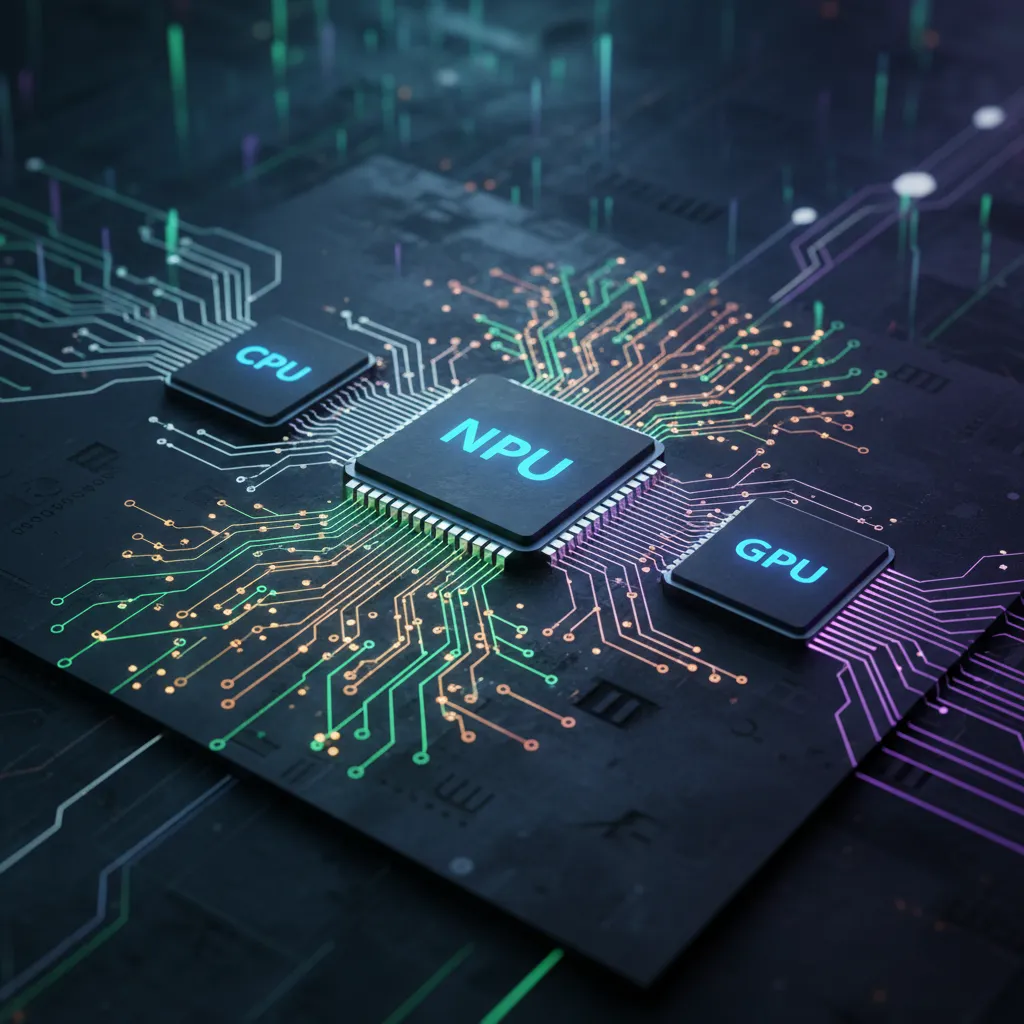
The NPU (Neural Processing Unit) is the heart of the AI PC revolution. Designed by companies like Intel, AMD, and Qualcomm, the NPU is a specialized microprocessor built to handle the unique math required for running neural networks and large language models (LLMs).
Unlike a CPU, which excels at sequential, complex tasks, and a GPU, which excels at massive parallel calculations for graphics, the NPU is optimized for low-precision, high-volume matrix multiplication—the fundamental operation behind deep learning algorithms.
How Does an NPU Work?
The NPU’s primary function is inference—taking a trained AI model and applying it to new data (e.g., recognizing your face in a photo or translating speech in real-time).
/image-topic.webp
At a technical level, the NPU works by:
- Massive Parallelism: It utilizes thousands of small, specialized cores working simultaneously. This is highly efficient for the vectorized operations needed in machine learning on PC.
- Fixed-Point Math: Instead of using complex floating-point calculations (which CPUs/GPUs use), NPUs often rely on simpler, lower-precision integer math (like INT8 or INT4). This drastically reduces power consumption and heat while maintaining sufficient accuracy for AI inference.
- Low Latency & High Efficiency: Because the NPU only handles specific, repetitive AI operations, it consumes significantly less power than spinning up a powerful GPU for the same task. This means you can run powerful features like continuous gaze correction or real-time summarization without your battery draining quickly—a massive leap for AI-powered laptops 2024.
[Related: boost-your-day-top-10-ai-productivity-tools-for-peak-performance/]
NPU vs. CPU vs. GPU: Why We Need a Third Accelerator
The rise of the NPU isn’t about replacing the CPU or the GPU; it’s about establishing a more efficient, three-pronged computing architecture:
- CPU (Central Processing Unit): The boss. Handles general OS tasks, sequential operations, and basic application control.
- GPU (Graphics Processing Unit): The powerhouse. Handles rendering, 3D graphics, and complex parallel tasks like high-end video encoding or training large AI models (often in the cloud).
- NPU (Neural Processing Unit): The specialist. Handles sustained, low-power AI inference tasks, ensuring continuous, seamless AI-enhanced workflow features are always available.
For an AI PC to be effective, its AI hardware must exceed a minimum threshold of processing power, usually measured in Tera Operations Per Second (TOPS). Microsoft, for instance, set a minimum requirement of 40 TOPS for a PC to qualify as a Copilot+ PC, ensuring robust performance for their deeply integrated on-device AI applications.
The Era of Copilot+ PC: Microsoft’s AI Vision
When we talk about the best AI PCs 2024, we must immediately discuss Microsoft’s ambitious initiative: the Microsoft Copilot+ PC. This is not just a hardware specification; it’s a commitment to a deep integration of AI into the very fabric of Windows.
A Copilot+ PC utilizes the dedicated NPU (currently demanding 40+ TOPS) to run several groundbreaking features locally. These features are designed to transform the way we interact with our computers, making them truly personalized computing companions.
Key Copilot+ PC Features Powered by the NPU
- Recall: Perhaps the most discussed feature, Recall takes snapshots of your screen activity over time, processing them locally using the NPU. This allows you to search your entire history—every document, website, or conversation you’ve viewed—using natural language. Crucially, because the analysis is running AI models locally, the privacy concerns are mitigated compared to cloud-based solutions.
- Cocreator (Image Generation): Integrated into tools like Paint, Cocreator allows users to generate and refine images instantly based on text prompts and even their own sketches. The NPU accelerates the required generative AI workloads for near-instant results.
- Live Captions and Real-Time Translation: The NPU can process incoming audio and video streams instantly, translating foreign languages or generating accurate subtitles for any content, all in real-time and offline.
- Windows Studio Effects: Enhancements for video calls (like background blur, gaze correction, and automatic framing) are offloaded entirely to the NPU, freeing up the CPU for other demanding tasks and significantly improving battery life during meetings.
The adoption of the Microsoft Copilot+ PC standard confirms that AI processing is now a non-negotiable core competency for future of personal computing.
The Silicon War: Key AI PC Processors of 2024 and Beyond
The race to dominate the AI PC market is being fiercely fought by the major chip manufacturers. Success depends on delivering the highest NPU performance (TOPS) while maintaining superior power efficiency.
Qualcomm’s Leading Charge: Snapdragon X Elite
Qualcomm positioned itself as the initial leader in the Copilot+ PC movement with the Snapdragon X Elite and X Plus chips. These processors feature a massive integrated NPU capable of delivering up to 45 TOPS of performance.
- Key Advantage: Exceptional power efficiency. Snapdragon X Elite is designed from the ground up to offer multi-day battery life, making it the benchmark for AI-powered laptops 2024. This efficiency is paramount for sustained on-device AI features.
Intel’s Response: Lunar Lake and Meteor Lake
Intel entered the market early with its Meteor Lake chips, branding their NPU as the “Intel AI Boost.” However, their true next-gen focus is on the upcoming Intel Lunar Lake architecture.
- Key Advantage: Universal compatibility and massive scaling. Intel Lunar Lake is expected to significantly increase NPU performance, matching or exceeding the 45 TOPS mark, and ensuring a robust PC experience across the board while leveraging Intel’s long-standing software ecosystem.
AMD’s Strategy: Strix Point
AMD, with its Ryzen AI brand, is also a critical player. Their AMD Strix Point architecture, succeeding the Ryzen 8000 series, is designed to be highly competitive in both traditional CPU performance and specialized NPU throughput.
- Key Advantage: Balanced performance. AMD often offers a compelling balance of CPU and integrated GPU performance alongside a strong NPU, making it an attractive option for users who need both traditional productivity and robust AI acceleration.
The competition among Snapdragon X Elite, Intel Lunar Lake, and AMD Strix Point is excellent news for consumers, driving innovation, efficiency, and dropping the price of powerful AI hardware.
The Unbeatable Benefits of On-Device AI
The move to on-device AI is more than just a tech trend; it fundamentally changes the user experience by delivering palpable benefits that address modern computing needs.
/image-topic.webp
1. Enhanced Privacy and Security
In the age of heightened data security concerns, this is arguably the most crucial benefit. When running AI models locally on your PC’s NPU, your sensitive data (documents, emails, personal photos, screen snapshots for features like Recall) never leaves your device.
- Practical Example: Real-time summary of a sensitive internal company meeting. With cloud AI, the recording is sent to a server. With an AI PC, the transcription and summarization happen locally, adhering to the highest privacy benefits of AI PC.
2. Unparalleled Speed and Efficiency
Cloud AI is inherently limited by your internet connection. Even fiber optics introduce latency. Local processing eliminates this delay.
- Practical Example: Imagine using a real-time language translator during a video conference. The NPU can translate speech instantaneously, making the conversation seamless. Furthermore, by dedicating the low-power NPU to these tasks, the battery life is drastically extended, making intelligent computing truly mobile.
3. Cost Savings and Accessibility
Cloud AI services are often subscription-based and incur usage fees. By shifting AI workloads to the local AI PC, developers can offer powerful features that don’t rely on costly server time, reducing subscription costs for the user and making advanced tools more accessible.
This focus on local AI processing democratizes access to powerful generative tools, moving them out of specialized server farms and onto the average person’s desk.
[Related: best-ai-personal-assistants-productivity/]
Real-World Applications: What Can an AI PC Do?
The capabilities of the AI PC go far beyond system optimizations. They unlock completely new workflows, making complex tasks simpler and less resource-intensive. What can an AI PC do for you, specifically?
/image-topic.webp
AI PC for Content Creators
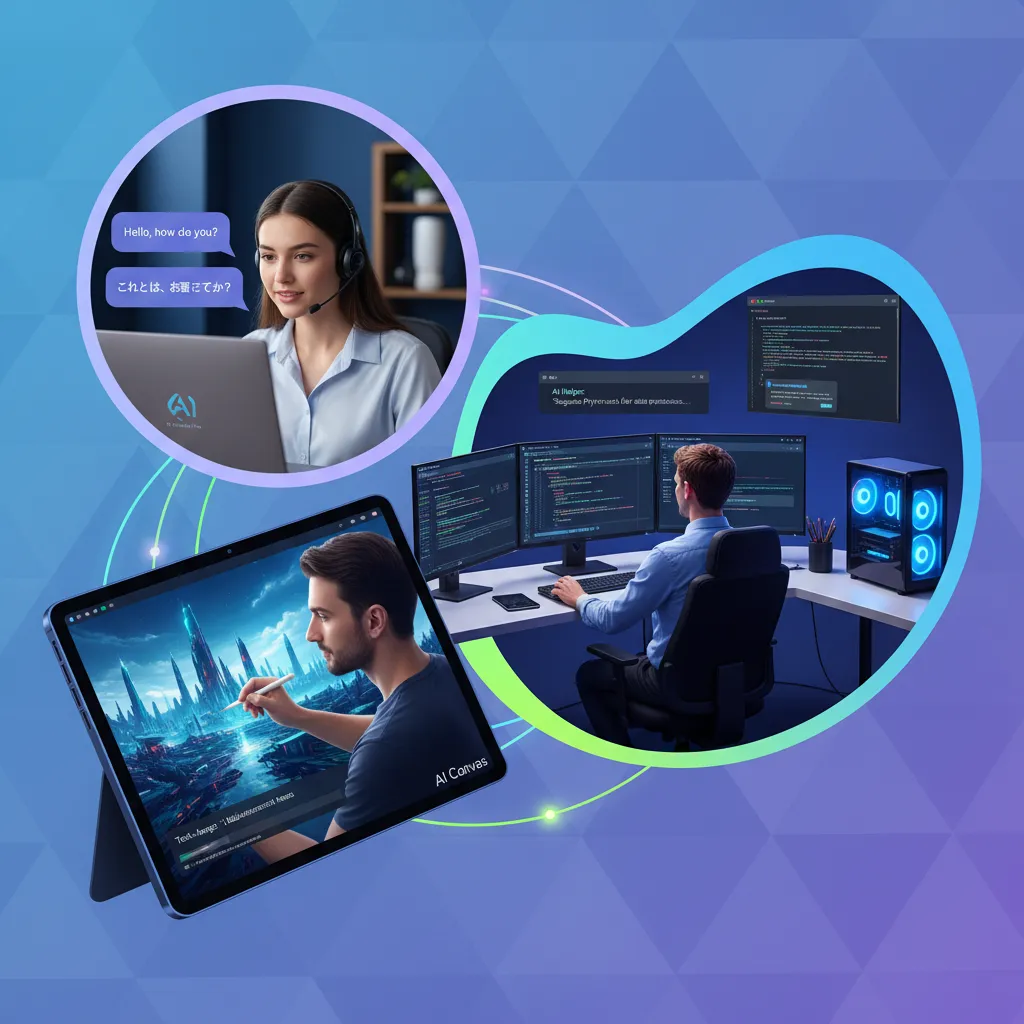
For video editors, graphic designers, and photographers, the AI PC is a game-changer. The NPU accelerates tools that traditionally strained the CPU or required a high-end GPU:
- Super Resolution: Enhancing image and video quality with AI upscaling almost instantly.
- Background Removal/Green Screening: Real-time mask generation in video editing software with high precision.
- Generative Fill: Quickly adding or removing elements from photos or videos directly within application software using local generative models.
- Optimized Rendering: Using AI to predict and optimize rendering paths, significantly cutting down export times.
The AI PC for content creators reduces the friction between the idea and the output, allowing for a truly fluid and rapid AI-enhanced workflow.
Enhanced Productivity and Personalized Computing
The majority of AI PC features target everyday productivity, offering personalized computing experiences:
- Intelligent Search: Recall (as mentioned) fundamentally changes how you search for information on your own machine.
- Optimized Scheduling: AI that learns your work patterns and intelligently manages resource allocation, predictive maintenance, and battery life.
- Automated Summarization: Quickly processing long emails, transcripts, or web pages and providing concise summaries, freeing up human cognitive load.
AI PC vs. Gaming PC: Understanding the Differences
It’s crucial to distinguish between an AI PC and a dedicated gaming machine. While a high-end gaming PC already has a powerful GPU capable of running AI models, its design intent is different:
| Comparison Point | AI PC (NPU Focus) | Gaming PC (GPU Focus) |
|---|---|---|
| Primary Goal | Power efficiency and sustained low-power AI inference. | High-frame rate graphics and raw rendering power (VRAM). |
| Key Metric | TOPS (Tera Operations Per Second) for NPU. | Clock speed and GFLOPS (Giga Floating-point Operations Per Second) for GPU. |
| Efficiency | Excellent for low-intensity, always-on tasks (e.g., background noise reduction). | High power draw; great for short bursts of intensive parallel tasks. |
| Cost Driver | Integration of specialized low-power NPU silicon. | Massive, dedicated GPU with extensive VRAM and cooling. |
The two are not mutually exclusive; the best AI PCs 2024 often feature high-end GPUs in addition to powerful NPUs, offering the best of both worlds. However, the NPU is the differentiating factor in transforming a laptop into a true AI machine. The distinction between an AI PC vs gaming PC is shifting as GPUs also gain better AI acceleration features, but the NPU remains the champion of power-efficient, on-device AI.
[Related: quantum-leap-decoding-latest-quantum-computing-breakthroughs/]
Future-Proofing Your Purchase: Is Now the Time to Upgrade?
We are currently at the cusp of the AI PC adoption curve. The standards are being set, and the core silicon (like the Snapdragon X Elite and Intel Lunar Lake) is reaching maturity.
Choosing an AI PC today is about investing in future-proof technology. As Microsoft and application developers begin optimizing their software exclusively for NPU acceleration, systems without dedicated AI hardware will quickly find themselves struggling to run the most desirable new features efficiently.
Consider the transition from traditional hard drives to SSDs: once the standard shifted, systems without SSDs became frustratingly slow. The NPU is the SSD of machine learning. If your workflow involves heavy use of video conferencing, content creation, or relying on AI productivity tools, a Copilot+ PC or equivalent next-gen laptop is rapidly becoming a necessity.
The future of personal computing isn’t just about faster speeds; it’s about intelligence embedded in the OS.
/image-topic.webp

Conclusion: The Revolution is Local
The answer to what is an AI PC is simple yet profound: it is a computer architecturally optimized for AI, fundamentally powered by the NPU. It marks a pivotal moment where advanced machine learning capabilities transition from specialized cloud servers to everyday next-gen laptops.
This shift to on-device AI delivers critical benefits—speed, efficiency, and profound privacy benefits of AI PC—that transform the user experience, particularly for AI PC for content creators and busy professionals relying on an AI-enhanced workflow.
With major players like Qualcomm, Intel, and AMD pushing the boundaries with silicon like the Snapdragon X Elite, Intel Lunar Lake, and AMD Strix Point, the standards for intelligent computing are being reset. If you are looking to invest in a machine that is truly prepared for the digital challenges of tomorrow, choosing a system capable of handling intensive AI workloads locally is the only way to ensure future-proof technology.
[Related: best-new-ai-tools-productivity-creativity/]
FAQs
Q1. What is an AI PC in simple terms?
An AI PC is a computer—usually a laptop—that includes a specialized chip called a Neural Processing Unit (NPU) dedicated solely to accelerating artificial intelligence and machine learning tasks. This allows the computer to run powerful AI features, like real-time translation and background processing, directly on the device with high efficiency and low power consumption.
Q2. Is an AI PC necessary for running AI?
While standard CPUs and GPUs can run some AI tasks, an AI PC is necessary for efficiently running the most advanced, sustained on-device AI applications. The dedicated NPU (Neural Processing Unit) significantly speeds up these tasks (e.g., Recall, real-time video effects) while consuming far less battery power than a CPU or GPU performing the same AI workloads.
Q3. How many TOPS are required for a PC to be considered an AI PC?
The industry standard, driven by Microsoft’s requirements for the Copilot+ PC designation, currently sets the minimum NPU performance at 40 Tera Operations Per Second (TOPS). This level of performance is needed to seamlessly handle demanding integrated features like Recall and Cocreator.
Q4. Does an AI PC replace my gaming PC?
Not necessarily. An AI PC vs gaming PC comparison shows different priorities. A gaming PC is optimized for graphical rendering power (measured in FLOPS) via a high-end GPU. An AI PC is optimized for machine learning efficiency (measured in TOPS) via a dedicated NPU. While many top-tier gaming PCs feature powerful GPUs that can handle some AI, a true AI PC focuses on integrating the NPU for low-power, continuous local AI processing.
Q5. What is the difference between an NPU and a CPU/GPU?
The Neural Processing Unit (NPU) is a specialist designed for parallel, low-precision matrix multiplication—the core math for neural networks. The CPU (Central Processing Unit) is a generalist for sequential tasks. The GPU (Graphics Processing Unit) is a powerhouse for large-scale graphics rendering and high-precision parallel computing. The NPU provides superior power efficiency for sustained machine learning on PC inference tasks.
Q6. What is a Copilot+ PC?
A Copilot+ PC is a specific class of AI PC defined by Microsoft. To earn this designation, the laptop must feature an NPU capable of at least 40 TOPS and have at least 16GB of RAM and 256GB of storage. This standard ensures the device can run Microsoft’s most advanced on-device AI applications, like Recall, directly within the Windows operating system.
Q7. What are the key processors driving the AI PC market?
The major processors defining the best AI PCs 2024 are currently the Snapdragon X Elite (known for efficiency and high TOPS count), the Intel Lunar Lake (Intel’s next-gen architecture), and the AMD Strix Point (AMD’s highly competitive Ryzen AI series). These chips all integrate powerful, dedicated NPUs.
Q8. What are the main privacy benefits of AI PC technology?
The main privacy benefits of AI PC systems stem from their ability to perform running AI models locally. This means that sensitive personal data used for AI tasks (like generating summaries of your emails or indexing your screen history with Recall) never has to leave the machine and be sent to a third-party cloud server, offering significantly better data security and control.