Top AI Video Tools of 2024: The Ultimate Guide

Introduction: The Video Revolution Powered by AI
For decades, creating compelling video content required expertise, significant time, and expensive equipment. Today, that barrier to entry has evaporated, thanks to the exponential rise of AI video generator technology. We are no longer just editing videos; we are synthesizing them from scratch.
In 2024, the landscape of digital creation has been fundamentally reshaped. Tools that leverage advanced diffusion models can now take a simple text prompt—“A vintage robot riding a skateboard on Mars”—and instantly generate a high-quality, cinematic video clip. This is the power of text to video AI, and it’s arguably the most transformative technology since the digital camera.
This guide is your ultimate roadmap to navigating the dynamic world of AI video creation. We will dissect the best AI video generators available now, from established industry leaders like RunwayML Gen-2 to disruptive newcomers like Pika Labs and the groundbreaking, though unreleased, power of Sora AI. Whether you are a solo content creator looking for a free AI video generator or a studio aiming for full-scale AI filmmaking, this resource provides the necessary insights to harness the power of top AI video software.
In this article, you will learn:
- The fundamental technology behind generative video AI.
- In-depth breakdowns of the leading tools: Runway, Pika, Luma, Sora, and Kling.
- Specific use cases for creating content, marketing, and YouTube videos.
- Practical tips and an AI video generation tutorial to achieve the best results.
Let’s dive into the future of moving images.
Understanding Generative Video AI: How the Magic Happens
Before comparing the tools, it is crucial to understand the engine under the hood: generative video AI. This technology relies primarily on transformer and diffusion models, similar to those used in AI image generation, but adapted to maintain temporal consistency across multiple frames. This process is often called video synthesis.
When you input a text prompt, the AI model doesn’t search a database for matching clips; it builds the video pixel-by-pixel, frame-by-frame, ensuring that the objects, lighting, and camera movements remain coherent throughout the duration.
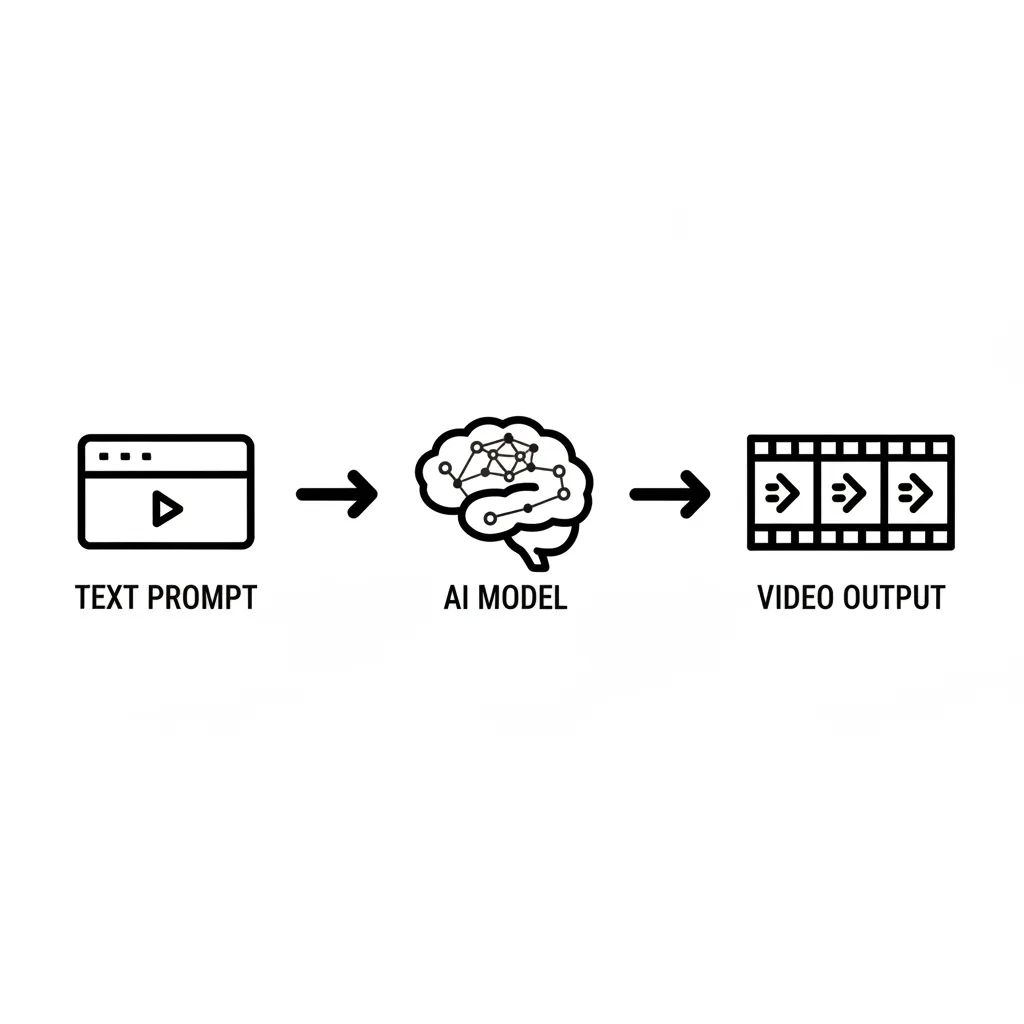
The basic workflow for how these tools create video from text involves three core steps:
- Tokenization and Latent Space: The text prompt is broken down and translated into numerical representations (tokens) that the AI understands. These tokens guide the initial noise generation in a compressed data space (latent space).
- Diffusion and Denoising: The model starts with pure visual noise and gradually “denoises” it, adding detail based on the text prompt. For video, this is performed across consecutive frames, ensuring that Frame 1 smoothly transitions to Frame 2, and so on.
- Upscaling and Output: The model finalizes the frames, upscales them to the desired resolution, and outputs the final clip.
This complex process is what allows creators to bypass traditional animation and editing, leading to genuinely automated video creation.
Text-to-Video vs. Image-to-Video AI
While the ultimate goal is generating video, most AI video tools offer two primary input methods:
1. Text-to-Video (T2V)
This is the purist form of generative video AI. You input a detailed description, and the AI generates the entire scene, characters, movement, and style.
- Example Prompt: “A close-up shot of a majestic, feathered Tyrannosaurus Rex wearing a tiny top hat, walking slowly through a rainy neon city at midnight. Cinematic.”
2. Image-to-Video (I2V)
This feature allows the user to upload a static image and use AI to animate it or add motion. This is extremely useful for bringing existing assets, concepts, or branding elements to life. This is often referred to as image to video AI.
- Example Prompt: Upload a photo of a cityscape and prompt: “Make the cars move quickly, add fog rolling in, and transition the camera into a slow zoom.”
The Titans of AI Video Generation (The Top Tier)
The market for best AI video generators is intensely competitive, with major players constantly leapfrogging one another in terms of clip fidelity, duration, and control. Here are the tools dominating the landscape in 2024.
1. RunwayML Gen-2: The Production Standard
RunwayML is often considered the pioneer of accessible, high-quality AI video creation. Its Gen-2 model revolutionized the industry by offering unprecedented control and quality outside of major research labs. For many professionals, Gen-2 remains the gold standard for blending real filmmaking techniques with AI.
Key Features:
- Diverse Inputs: Supports Text-to-Video, Image-to-Video, and Text + Image-to-Video.
- Motion Control: Offers detailed controls over camera movement (pan, tilt, dolly) and object movement within the frame.
- Training Capabilities: Allows users to train custom models on their own content for consistent character and style generation—a huge boon for AI filmmaking.
- Inpainting/Outpainting: Advanced editing features that allow users to alter or extend scenes using AI prompts within the editor.
Best For: Independent filmmakers, production houses, and professional video editors who need predictable, high-fidelity clips and deep customization. Runway provides a truly comprehensive AI video editor experience.
[Related: mastering-generative-ai-next-gen-content-creation/]
2. Pika Labs: The Accessible Innovator
Pika Labs burst onto the scene with a commitment to speed and accessibility, initially operating almost entirely through a Discord bot. It has rapidly evolved into a robust web platform, becoming a favorite among content creators, especially those targeting short-form content.
Key Features:
- Speed and Iteration: Known for rapid generation times, making it ideal for fast iteration and experimentation.
- Aspect Ratio Control: Excellent native support for various aspect ratios, including 9:16 (vertical for TikTok/Reels) and 16:9 (horizontal for YouTube), making it a popular AI video generator for YouTube.
- Stylization Prompts: Intuitive controls for style, camera, and lighting without overly complex prompting.
- Free Tier: Offers a substantial free tier, solidifying its place as one of the best choices if you’re looking for a best free text-to-video AI option to start with.
Best For: Social media managers, hobbyists, and digital artists who prioritize speed and simplicity for generating stylized, short clips.
3. Luma Dream Machine: The Photorealism Challenger
Luma AI’s Dream Machine arrived in mid-2024, instantly setting a new benchmark for photorealistic motion and temporal coherence, positioning itself as a direct public competitor to RunwayML Gen-2 and the anticipated quality of Sora.
Key Features:
- Photorealism: Its generations often have a hyper-realistic quality, excelling at rendering natural physics, lighting, and complex reflections.
- Temporal Coherence: Maintains character identity and scene consistency across longer clips remarkably well, minimizing the “flicker” and instability seen in older models.
- Intuitive Interface: Focuses on simple, powerful prompts rather than complex parameter adjustments, lowering the technical hurdle for new users.
Best For: Users seeking the highest level of visual fidelity and realism for short cinematic shots, product visualizations, or art pieces that need to look physically grounded.
The Next Frontier: Models Changing the Game (Sora & Kling)
While Runway, Pika, and Luma are production tools available today, the true goal posts for generative video AI were shifted by two major research models: OpenAI’s Sora and Kuaishou’s Kling. While currently unavailable to the general public, their capabilities define the future of video creation.
OpenAI Sora AI: The Unprecedented Leap
Sora, meaning “sky” in Japanese, lives up to its name by representing a vast, open landscape of possibilities. When OpenAI showcased Sora’s outputs, the industry was stunned by the clips’ duration (up to 60 seconds), complexity, and adherence to physical laws.
The key breakthrough of Sora AI is its ability to understand and simulate the physical world—how objects interact, how light moves, and how complex scenes (like a bustling Tokyo street) maintain continuity over a long period. This goes far beyond simple interpolation and moves into true world modeling.
Because Sora is currently inaccessible, many users seek reliable Sora AI alternatives such as Luma Dream Machine and RunwayML Gen-2, which are racing to match its quality.
Kuaishou Kling AI: The Chinese Counterpart
Developed by Kuaishou, a major Chinese technology company, Kling AI offers capabilities that rival Sora, particularly in high-definition quality and motion control. Its initial demonstrations included detailed 1080p clips with impressive fidelity.
The Kling AI model differentiates itself by offering exceptional control over aspects like facial expressions and complex, multi-person interactions, suggesting a strong focus on narrative storytelling and character-driven content.
- Why they matter: These models confirm that the industry is moving rapidly toward fully consistent, long-form video creation, potentially disrupting the need for traditional shooting for many types of content.
Best AI Video Tools for Specific Use Cases
The “best” tool is often subjective and depends on your specific output goal. Different AI video tools excel in different niches, from quick social media assets to high-end virtual production.
| Use Case | Recommended Tool(s) | Key AI Feature Focus |
|---|---|---|
| Professional Filmmaking | RunwayML Gen-2, Luma Dream Machine | Temporal Consistency, Custom Model Training |
| YouTube & Long-Form | Descript, Pictory, InVideo AI | AI video editor, Script-to-Video Synthesis |
| Marketing & Training | Synthesia, HeyGen | AI Avatars, Lip-Sync, Multilingual Generation |
| Animation & Art | Pika Labs, Kaiber | Stylization, Aspect Ratio Control, Simple Prompting |
| Prototyping/Testing | Pika Labs (Free Tier) | Speed, Accessibility, Best free text-to-video AI |
For YouTube Content Creators
YouTube demands high volume and consistency. The best tools for this niche focus not just on generation but on integration with existing workflows.
1. Descript (AI Video Editor & Transcription)
While not a pure generative tool like Runway, Descript uses advanced AI for editing. You can edit video by editing the transcript text, remove filler words with a single click, and clone your voice for seamless dubbing or corrections. It functions as a powerful AI video editor essential for efficiency.
2. Pictory and InVideo AI (Blog-to-Video)
These tools specialize in taking existing textual content (blog posts, articles, scripts) and turning them into video presentations, complete with stock footage, voiceovers, and captions. This is the definition of efficiency for AI video generation tutorial creators and informational channels, relying heavily on automated video creation.
For Marketing and Business
Businesses need consistency, branded assets, and often, professional-looking presenters without the hassle of hiring actors or setting up studios.
1. Synthesia and HeyGen (AI Avatars)
These platforms focus on generating highly realistic, customizable AI powered video content featuring digital avatars. They are ideal for:
- Corporate training and internal communications.
- Explainer videos and product demos.
- Multilingual content creation (avatars can speak dozens of languages flawlessly).

Using these tools significantly streamlines video marketing workflows, drastically reducing costs and time associated with traditional shoots.
For Animation and Stylized Content
Sometimes, photorealism isn’t the goal; instead, creators seek unique, artistic, or stylized results.
1. Kaiber
Kaiber is renowned for its transformative capabilities, often turning existing images or videos into entirely new styles—think cyberpunk, oil painting, or 80s anime. It is a powerful AI animation generator for music video directors and digital artists.
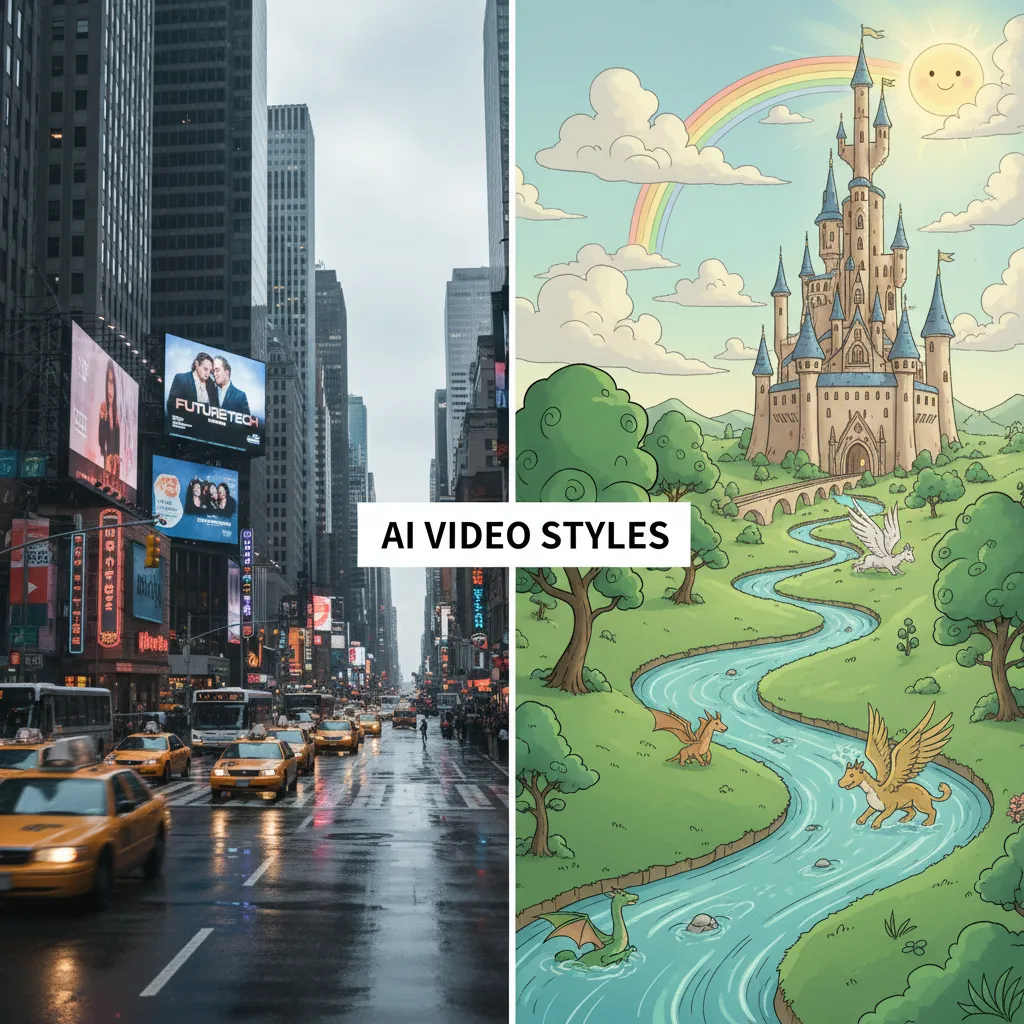
2. Comparison of Styles
When choosing an AI animation generator or a photorealistic tool, understand the distinction in output style.
| Style Goal | Key Tool Example | Focus | Output Vibe |
|---|---|---|---|
| Photorealistic | Luma Dream Machine | Coherence, Physical Accuracy | Cinema, Documentation, Product Shots |
| Cinematic/Hybrid | RunwayML Gen-2 | Dynamic Camera Movement, Professional Feel | Film Trailers, High-End Ads |
| Stylized/Animated | Pika Labs, Kaiber | Artistic Interpretation, Novelty | Music Videos, Abstract Art, Cartoons |
Practical Guide: How to Make AI Videos Like a Pro
Generating high-quality video with AI is less about technical editing skill and more about linguistic finesse, or prompt engineering. To get the most out of your AI video tools and achieve those dazzling generative AI video examples, follow these steps for a complete AI video generation tutorial.
1. Mastering the Prompt: The Key to Video Synthesis
A good prompt is detailed, descriptive, and structured. Do not simply write, “A dog runs.” Write:
“An elderly golden retriever, wearing a red scarf, slowly runs through a field of lavender at sunset. The camera is low and tracking the dog’s movement. Cinematic lighting, shot on 35mm film stock, hyper-detailed.”
Key Prompt Components for Video:
- Subject: Define the main entity precisely (e.g., “A highly detailed chrome robot,” not “robot”).
- Action/Movement: Clearly state the subject’s movement (e.g., “The robot smoothly walks,” “The water drips slowly”).
- Environment & Lighting: Describe the setting and mood (e.g., “Rainy alley, heavy neon glow,” “Sunny beach, midday”).
- Style Modifiers: Specify the desired aesthetic (e.g., “VFX, photorealistic, 4K, Studio Ghibli style, vintage 1950s,” etc.).
- Camera Movement: Crucial for video. Use terms like:
Dolly Zoom,Close Up Shot,Panning,Tilt Down,Drone Shot.
2. Consistency Over Complexity
The biggest challenge in AI video creation is temporal consistency. An object might transform or disappear mid-clip. To combat this:
- Keep it Short (Initially): If the tool offers 4 seconds, start with 4 seconds. Longer clips increase the chance of visual breakage.
- Use Seed/Reference Images: Most top AI video generators allow you to start with an
image to video AIinput. This anchors the AI to a stable visual reference, dramatically improving character and object consistency. - Iterate and Refine: Generate several options from the same prompt and pick the best one to use as a starting point for the next iteration, looping the video generation process until the desired effect is achieved.
3. Leveraging the Free Tiers
If you are exploring how to make AI videos, you don’t need to spend thousands right away. Almost all major platforms offer a free AI video generator tier or free credits.
- RunwayML Gen-2 provides initial credits, allowing you to generate several high-quality clips.
- Pika Labs offers daily free credits and a robust free experience.
The limitations of the best free text-to-video AI usually involve watermarks, restricted clip length, and slower processing times. However, they are perfect for learning the ropes and refining your prompt skills.
[Related: ai-revolutionizing-personal-finance/]
The Ethical Landscape and Future of AI Filmmaking
The rapid evolution of AI video creation brings with it significant ethical and legal considerations, particularly concerning copyright, deepfakes, and the displacement of traditional jobs.
Copyright and Training Data
A major debate centers on the training data used by these massive models. Creators must be mindful that generating content in the distinctive style of a living artist or using copyrighted material as input could lead to legal issues. Reputable platforms are moving toward paying artists or using licensed, ethically-sourced datasets, but this remains a complex, evolving area.
The Role of the AI Video Editor and Director
The future of video creation is not necessarily the elimination of human input, but a shift in roles. The AI video editor of tomorrow will spend less time manually cutting footage and more time acting as a “prompt director,” guiding the AI’s creative output.
AI filmmaking will be characterized by:
- Rapid Pre-Visualization: Directors can instantly generate complex scenes to test lighting, blocking, and atmosphere before ever hiring a crew.
- Unbound Creativity: Constraints of physics, budget, and location vanish. The only limit is imagination.
- Hyper-Personalization: Content can be dynamically generated or altered to suit individual viewer preferences or geographical needs.

Conclusion: Embracing the Era of Automated Video Creation
The landscape of AI video creation in 2024 is exhilarating. Tools like RunwayML Gen-2, Pika Labs, and Luma Dream Machine provide robust, high-quality solutions today, while research models like Sora AI and Kling AI preview a future where cinematic complexity is accessible to anyone with a powerful idea and a keyboard.
Whether you are seeking a free AI video generator to start your journey or powerful top AI video software for professional production, the core takeaway is the same: the barrier between imagination and visual reality has never been lower.
By mastering prompt engineering and understanding the nuances of these platforms, you can leverage generative video AI not just to automate tasks, but to unlock creative possibilities previously reserved for multi-million dollar studios. Start experimenting today, and define your place in the future of video creation.
FAQs (People Also Ask)
Q1. Is Sora AI currently available to the public?
No. As of late 2024, Sora AI is not publicly available. It is currently in the hands of a small group of researchers and visual artists for testing and safety evaluation. While highly anticipated, users looking to generate high-fidelity videos today should use the leading Sora AI alternatives such as RunwayML Gen-2 or Luma Dream Machine.
Q2. What is the best free text-to-video AI generator for beginners?
Pika Labs is often considered the best free text-to-video AI for beginners. It offers a generous free tier with daily credits, a highly intuitive user interface (both on web and Discord), and excellent output quality for short clips. RunwayML also offers a free credit system, making both excellent starting points.
Q3. How good is the quality of AI video tools now compared to traditional methods?
The quality of AI video generation has reached a point where it is virtually indistinguishable from real footage in short, controlled clips, especially with models like Luma Dream Machine and RunwayML Gen-2. While current AI struggles with complex, long-duration narratives and perfect physical consistency across minute-long scenes, it is already superior to traditional CGI/VFX for rapid prototyping, stylized animation, and short advertisements.
Q4. Can I monetize AI-generated videos on YouTube?
Yes, generally you can monetize AI video generator for YouTube content, provided it adheres to YouTube’s monetization policies (including the AdSense policies). The key requirement is that the video must involve significant human input, editing, or creative narrative addition (i.e., it must be “transformative”). Simply uploading raw, unedited footage straight from the text to video AI generator may fall under “low-effort” content and be demonetized. Using an AI video editor like Descript or CapCut to add value is recommended.
Q5. What is the primary difference between a basic AI video editor and generative AI video?
A basic AI video editor (like Premiere Pro’s AI features or CapCut) assists in editing existing footage—it handles tasks like transcription, color correction, scene detection, and audio cleanup. Generative AI video creation (like Runway or Pika) uses generative video AI models to create entirely new footage from a text or image prompt, fundamentally bypassing the need for filming or traditional animation.
Q6. Is Kling AI a direct competitor to Sora?
Yes, the Kling AI model developed by Kuaishou is widely regarded as a direct competitor to Sora. Both models demonstrate superior abilities in producing high-resolution, long-duration, and temporally consistent video segments, pushing the boundaries of what generative video AI can achieve in terms of realism and narrative complexity.