Luma Dream Machine: The Free AI Video Tool?

Introduction: The Generative Video Revolution Arrives
In the fast-paced world of digital creation, Artificial Intelligence is rapidly dismantling old barriers, and nowhere is this more evident than in video production. Just as DALL-E and Midjourney redefined static image generation, the race for the ultimate text-to-video AI tool has reached a fever pitch. Enter Luma AI Dream Machine.
When Luma Labs unveiled Dream Machine AI, the reaction was immediate and seismic. Creators, filmmakers, and marketers saw stunning, realistic, and coherent video clips generated from simple text Luma AI prompts. It wasn’t just another incremental improvement; it felt like a generational leap. But amid the hype, one question dominates the conversation: Is Luma Dream Machine free?
This question is central to the tool’s accessibility and its potential to democratize filmmaking. For content creators looking for the best free AI video generator, Luma AI’s offering seems like a dream come true—if the price is right.
In this comprehensive guide, we will dive deep into the mechanics of this groundbreaking generative video AI. We will fact-check the pricing and access model, provide a step-by-step Luma Dream Machine tutorial, analyze the quality of Dream Machine AI video examples, and offer a critical Luma AI Dream Machine review comparing it to industry giants like OpenAI’s Sora. By the end, you will know exactly what the Luma Labs AI tool offers and how you can get access to Luma AI to start creating your own cinematic clips.
What is Luma AI Dream Machine? Defining the New Standard
The Luma AI Dream Machine is a cutting-edge AI video generator developed by Luma Labs. Its core function is to transform textual descriptions (prompts) and sometimes static images into high-quality, 5-second video clips.
Unlike many earlier video synthesis tools that struggled with object consistency, temporal coherence, and realistic physics, Dream Machine aims to produce videos that are stable, dynamic, and genuinely cinematic. Luma Labs has positioned this tool not merely as a gimmick but as a foundational utility for AI film making.
Key Technical Pillars of Dream Machine AI
- High Fidelity and Realism: The model is trained on vast and diverse video datasets, allowing it to understand complex lighting, realistic movement, and intricate textures. The outputs often look professionally shot, exhibiting a level of detail previously reserved for high-end rendering software.
- Physical and Temporal Coherence: A critical challenge for text-to-video AI is maintaining the identity of characters and objects across frames. Luma Dream Machine is specifically engineered to ensure objects move and interact in physically plausible ways, drastically reducing the ‘jiggle’ or ‘melting’ effect common in competitors.
- Speed and Accessibility: While models like Sora capture headlines for quality, Luma has focused on making a fast, deployable tool. The goal is to allow users to generate clips quickly, enabling rapid prototyping and iteration in their creative workflows.
The ability to create video from text AI this easily has massive implications, not just for professional production studios but for independent artists, social media managers, and even casual users experimenting with prompt-based video creation.
The Access Question: Is Luma Dream Machine Truly Free?
The most common search query surrounding the tool is, “Is Luma Dream Machine free?” The answer is nuanced, reflective of the common strategy employed by cutting-edge AI services: a freemium model that balances accessibility with sustainability.
Decoding the Luma AI Pricing Structure
As of its initial public release, Luma AI adopted a credit-based system, which is typical for resource-intensive generative video AI tools.
| Feature | Starter (Free Tier) | Standard/Pro (Paid Tiers) |
|---|---|---|
| Cost | $0/month | Subscription Required |
| Access | Limited access, often requires Dream Machine waitlist sign-up initially. | Priority access, immediate use. |
| Generations | A fixed number of “free” credits or generations per day/month. | Substantially higher credit allowance, often unlimited or near-unlimited. |
| Watermarking | Videos may include a small Luma AI watermark. | Watermark-free outputs available. |
| Quality/Speed | Standard generation speed and quality settings. | Faster generation times and access to higher-resolution outputs. |
| Commercial Use | Limited or non-existent commercial rights. | Full commercial rights for monetization and client work. |
For the average user seeking to experiment with the Luma Labs new AI or generate short clips for personal projects, the free tier offers a significant entry point. It certainly qualifies as the best free AI video generator available for its quality level.
However, if you are a professional, a studio, or someone relying on the tool for consistent, high-volume, commercial work, you will inevitably need a paid subscription to unlock faster processing, better resolution, and, crucially, full ownership and usage rights.
How to Get Access to Luma AI
When Luma Dream Machine launched, it employed a common viral marketing tactic: the Dream Machine waitlist. This allowed Luma Labs to manage server load and generate buzz.
- Luma AI Sign Up: Go to the official Luma Labs website.
- Join the Waitlist (If Applicable): Depending on the current demand, you might need to enter your email and join the queue.
- Receive Access: Once invited, you will typically gain access to the web interface or a dedicated app.
- Start Generating: New users usually receive a batch of free credits to begin their journey in prompt-based video creation.
While the waitlist is usually transient for viral tools, the underlying principle is that access is managed to maintain quality and stability for all users.
[Related: boosting-productivity-top-ai-tools-revolutionizing-workflows-creativity/]
How Does Dream Machine AI Work? Decoding the Engine
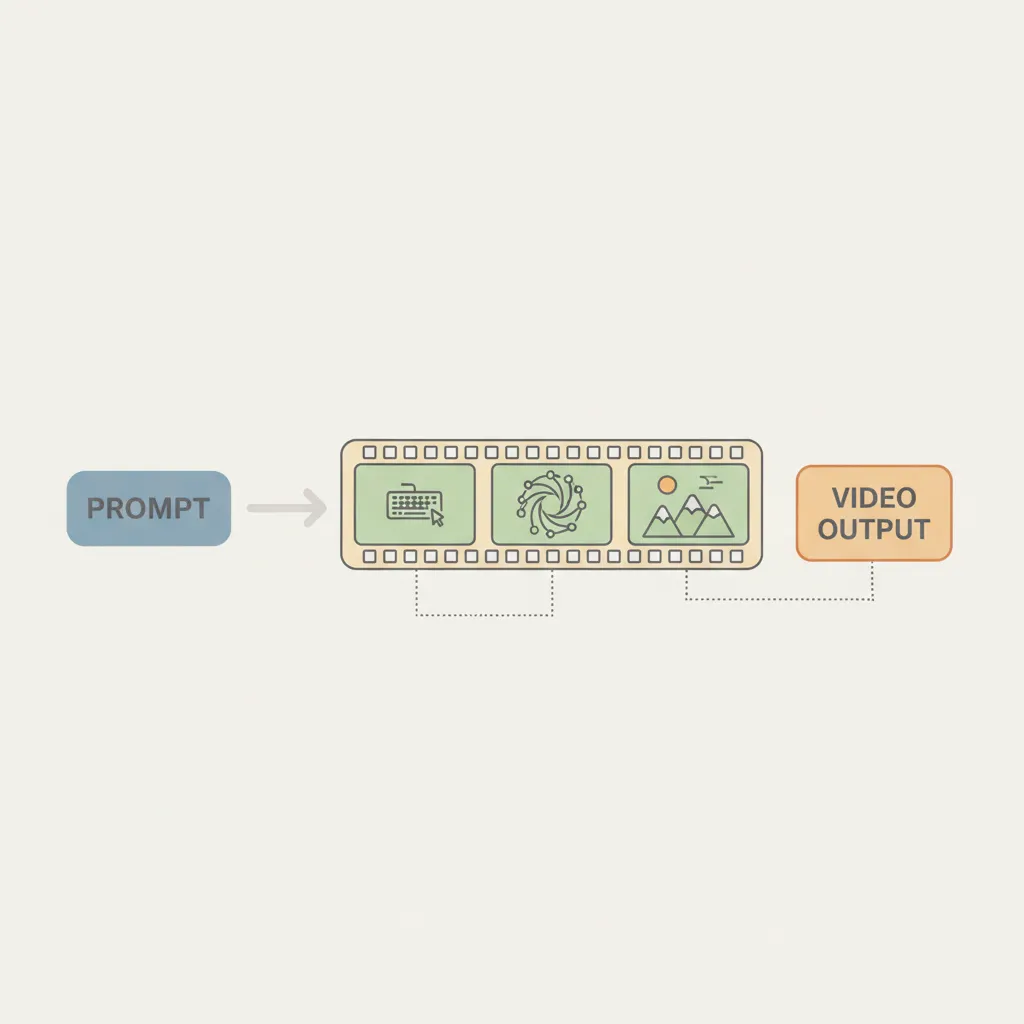
Understanding How does Dream Machine AI work requires a glimpse into the sophisticated models underpinning modern generative AI. At its heart, Luma Dream Machine utilizes a diffusion model architecture specifically adapted for temporal consistency—meaning it doesn’t just generate a sequence of still images, but rather a sequence of interconnected frames that depict continuous motion and change.
The Text-to-Video Pipeline
- Prompt Encoding: When a user enters a Luma AI prompt (e.g., “A golden retriever skateboarding down a retro-futuristic city street at sunset”), the AI first processes this natural language text. A large language model (LLM) converts the prompt into an abstract, numerical representation (latent space vector) that encapsulates the scene, action, style, and mood.
- Initial Frame Generation: The model uses this vector to generate a high-quality initial frame, establishing the visual starting point.
- Temporal Diffusion: This is where the magic happens. Instead of relying solely on the text prompt for subsequent frames, the model uses the previous frame and the overall prompt instruction to predict the next frame. It essentially “diffuses” the noise while conditioning the output on both spatial and temporal data. This keeps the camera movement smooth, the physics believable, and the subject consistent.
- Refinement and Up-Scaling: The generated 5-second clip is then refined, often using up-scaling algorithms and fine-tuning passes to enhance details, resulting in the high-quality AI video that has defined the Luma Dream Machine examples.
It’s this complex interplay of diffusion models trained for temporal coherence that distinguishes Dream Machine AI from older, simpler animation tools.
Visualizing the Generation Process
When you look at how to use Luma AI Dream Machine, you are interacting with the end product of this complex computation. The system minimizes user input complexity to maximize creative output.
/image-placeholder-1
Luma AI Dream Machine vs. Sora: The Generative Video Showdown
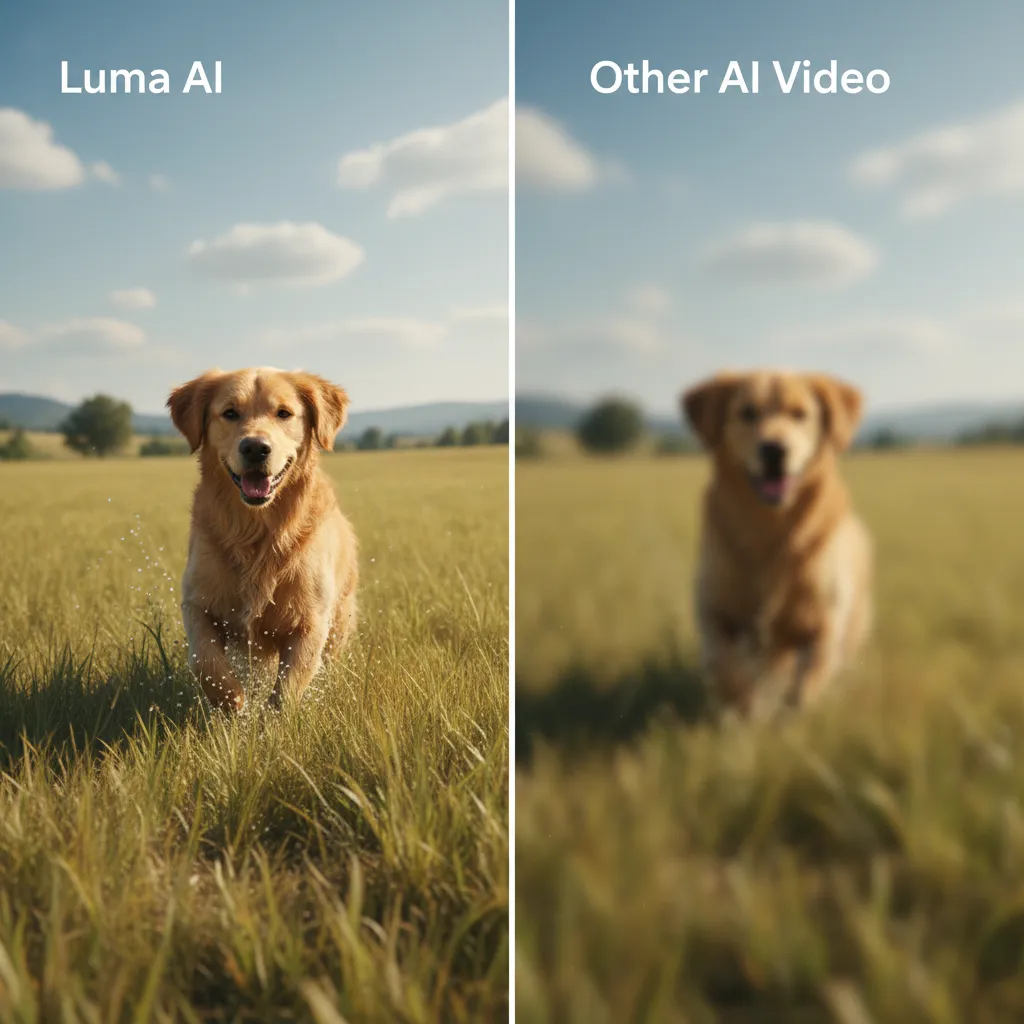
Any conversation about the future of video content and generative video AI inevitably leads to a comparison between Luma Dream Machine and OpenAI’s Sora. They are the two major players defining the current landscape, often described as a battle between accessibility and peak performance.
Key Differences and Positioning
| Feature | Luma Dream Machine | OpenAI Sora |
|---|---|---|
| Status/Access | Publicly available (Freemium model, paid tiers). | Highly restricted/closed research preview. |
| Max Clip Length | Typically up to 5 seconds (as of early releases). | Up to 60 seconds. |
| Quality | Excellent, industry-leading for publicly accessible tools. | Arguably the highest fidelity and realism demonstrated to date. |
| Consistency | Very strong temporal consistency, but minor artifacts can occur. | Exceptional object permanence and long-term coherence. |
| Camera Control | Developing controls for camera movement (e.g., zooms, pans). | Advanced control over composition and camera angles. |
| Target User | Creators, marketers, developers, independent filmmakers. | Researchers, large studios, and enterprise applications (initially). |
Luma Dream Machine is undeniably the most significant Sora competitor currently available to the public. While Sora has demonstrated longer, almost flawlessly coherent clips, its non-availability means Luma holds the crown for the best free AI video generator that anyone can actually use today.
The Strategic Advantage of Luma
Luma’s strategy is to prioritize usability and speed. A 5-second clip is perfect for social media, B-roll, quick prototypes, and iterative design—the bread and butter of modern digital content creation. By making the tool accessible and fast, Luma AI is embedding itself into daily workflows, whereas Sora remains a powerful but theoretical achievement for the vast majority of users.
For many creators, a high-quality, 5-second clip generated in minutes is infinitely more valuable than a perfect 60-second clip they cannot access.
/image-placeholder-2
Mastering the Creation: A Luma Dream Machine Tutorial
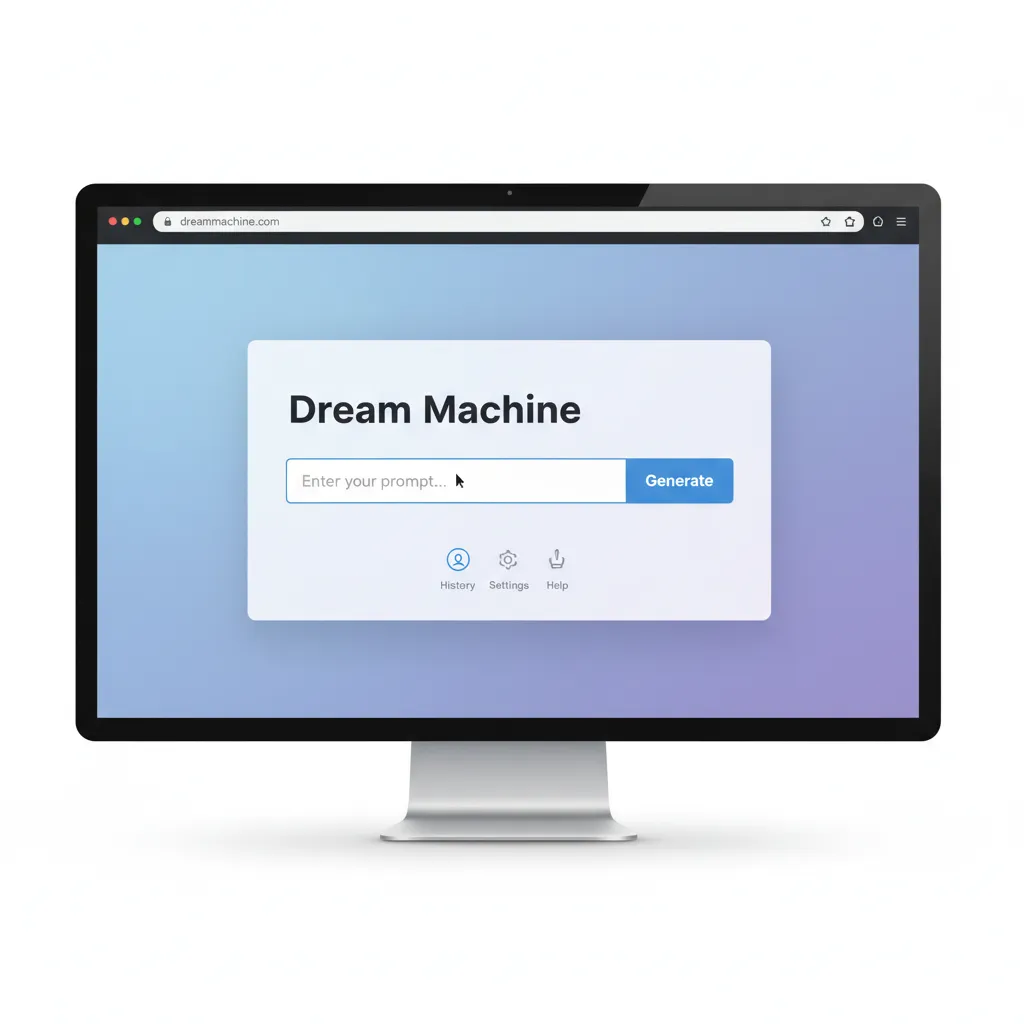
Once you get through the Dream Machine waitlist and have your login credentials, the interface for Luma AI sign up and use is remarkably intuitive. The entire process hinges on effective prompting.
Step-by-Step Guide: How to Use Luma AI Dream Machine
- Access the Interface: Log in to the Luma Labs web application. The dashboard is clean, focusing primarily on the prompt input field.
- Input Your Prompt: This is the critical step. Write your detailed description. Remember that the AI excels with specific details about lighting, camera angle, subject, and action.
- Optional: Image Input: Some versions allow you to input a starting image. This forces the model to maintain the visual style and subject matter of the uploaded image while generating movement, significantly enhancing consistency.
- Select Generation Parameters: Choose your desired aspect ratio (e.g., 16:9 cinematic, 9:16 vertical for reels). You may also have options for high-resolution output (if using a paid tier).
- Generate and Wait: Click “Generate.” The process usually takes a few minutes, depending on the current server load and your chosen settings.
- Review and Iterate: Luma provides tools to review the resulting high-quality AI video. If the result isn’t perfect, tweak your Luma AI prompts and try again. Iteration is key in prompt-based video creation.
Prompt Engineering: Crafting Cinematic Luma AI Prompts
The quality of your output is directly proportional to the clarity and detail of your input. Here are professional tips for maximizing your Luma AI Dream Machine examples:
- Specify Camera Work: Don’t just say “a boat.” Say, “A wide cinematic shot of a fishing boat cutting through misty Antarctic waters, slow panning movement.”
- Use Film Terminology: Integrate terms like
anamorphic,bokeh,cinematic,slow motion,hyper-realistic,35mm film grain, ordolly zoomto influence the style. - Focus on Lighting: Describe the time of day and light quality:
golden hour,neon glow,dramatic backlighting, orstudio softbox lighting. - Define Materiality: If the object is complex, describe its texture:
wet cobblestone street,rusty chrome bumper,smooth marble statue.
By adopting this level of detail, you transform a generic description into a blueprint for a truly cinematic AI video.
[Related: ai-tools-revolutionizing-everyday-productivity/]
/image-placeholder-3
Practical Applications and Luma AI Dream Machine Examples
The utility of Luma AI video extends far beyond simple novelty. Its ability to quickly generate complex, moving scenes opens up significant possibilities across various industries.
1. Pre-Visualization and Storyboarding
For professional AI film making and animation studios, Dream Machine serves as a powerful pre-visualization tool. Instead of manually drawing storyboards or creating expensive animatics, directors can generate moving drafts of scenes instantly. This speeds up production meetings, helps secure funding, and allows for rapid artistic experimentation.
2. Marketing and Advertising
Generating short, eye-catching video clips for social media advertising (Instagram Reels, TikTok) is crucial for modern marketing. Dream Machine AI video examples are ideal for:
- Product Demos: Creating stylized, abstract representations of product concepts.
- A/B Testing: Quickly generating multiple versions of an ad campaign to test different visual themes without costly production shoots.
- Hyper-Personalization: Generating bespoke clips tailored to narrow audience segments.
3. Indie Content Creation and AI Animation
The barrier to entry for animation and video production has collapsed. Independent creators can now use Dream Machine as an AI animation tool to create short films, music video clips, or complex backgrounds that would have taken days of traditional rendering. This is particularly valuable for creators focused on concept art or speculative fiction, allowing them to bring their visions to life instantly.
[Related: ai-cybersecurity-revolutionizing-defense-threat-detection/]
4. Educational and Training Content
Creating dynamic visuals for educational modules often involves expensive stock footage licenses. Luma AI allows educators to create video from text AI that precisely illustrates complex concepts, such as scientific processes, historical events, or architectural models, making learning more engaging.
The Future Trajectory of Luma Labs AI
Luma Dream Machine is not the endpoint; it is a major stepping stone for Luma Labs new AI developments. The trajectory of this technology points towards longer, interactive, and controllable video synthesis.
Focus on Control and Interactivity
While current models excel at generating aesthetically pleasing clips, the next major frontier is giving the user precise control over the output. Future iterations of Luma AI will likely focus on:
- Subject Control: Allowing users to define specific paths of motion for subjects within the frame.
- Camera Path Control: Implementing sophisticated virtual camera movement tools, letting creators define focal length, depth of field, and complex crane or drone shots.
- Long-Form Generation: Extending the clip length beyond 5 seconds while maintaining 100% temporal consistency, potentially enabling the generation of full scenes or short films.
This enhanced control will transition these tools from “random novelty generators” into indispensable digital film production utilities, truly realizing the potential of AI film making.
The Blurring Line Between AI and Traditional Tools
As high-quality AI video tools like Dream Machine mature, they will not replace human artists entirely but will become seamlessly integrated into existing editing suites (Adobe Premiere, DaVinci Resolve). Imagine using a simple text prompt within your existing software to instantly generate 10 seconds of B-roll footage that matches the lighting and texture of your already-shot A-roll. This is the integration future Luma and other leaders are chasing.
[Related: sustainable-tech-innovations-greener-gadgets-eco-smart-living/]
Conclusion: Dream Machine’s Impact on Video Content
The Luma AI Dream Machine review is overwhelmingly positive in terms of its quality and accessibility, especially considering the current restricted landscape of its main competitor, Sora.
To revisit the central question: Is Luma Dream Machine free?
Yes, Luma Dream Machine offers a powerful, free tier that qualifies it as the best free AI video generator currently accessible to the general public. While this free access comes with limitations (fewer credits, potential watermarks, limited commercial use), it provides an unparalleled opportunity for anyone to jump into generative video AI and experiment with creating professional-looking clips.
Luma Labs has successfully pushed the boundary of what text-to-video AI can achieve, transforming the creative process from a labor-intensive, resource-heavy task into an instant, imaginative endeavor. Whether you are aiming for simple social media content or ambitious cinematic AI video projects, understanding and utilizing the Luma AI Dream Machine is no longer optional—it’s a requirement for staying competitive in the future of video content.
Don’t wait to explore this technology. Sign up for the Luma AI sign up process, start experimenting with detailed Luma AI prompts, and begin creating stunning videos that were impossible just a year ago.
/image-placeholder-4
FAQs: Getting Started with Luma AI Dream Machine
Q1. What is Luma Dream Machine and who developed it?
Luma Dream Machine AI is a cutting-edge text-to-video AI model developed by Luma Labs. It allows users to generate realistic, dynamic, and coherent 5-second video clips from simple text prompts, pushing the boundaries of generative video AI accessibility.
Q2. How long does the Dream Machine waitlist typically take?
The duration of the Dream Machine waitlist varies significantly based on server capacity and current demand. During high-demand periods (like initial launch), it can take days or weeks. However, Luma Labs actively works to onboard users quickly. If access is critical for professional use, opting for a paid subscription often bypasses the waitlist entirely.
Q3. Can I use Luma AI Dream Machine commercially for free?
Generally, the free tier of Luma AI Dream Machine includes significant limitations on commercial use. The videos generated often contain watermarks, and the licensing terms usually restrict using them for profit or client work. Full commercial rights, including high-resolution, watermark-free downloads, typically require an upgrade to one of the paid Luma Labs AI plans.
Q4. What is the main advantage of Luma AI vs Sora?
The main advantage of Luma AI vs Sora is accessibility and speed. While Sora has demonstrated higher fidelity and longer clip generation (up to 60 seconds), it remains in a closed research preview. Luma Dream Machine, conversely, is publicly available (with a free tier), fast, and capable of generating production-ready, high-quality AI video clips immediately, making it the most viable Sora competitor today.
Q5. What is the best type of Luma AI prompt for cinematic video?
The best Luma AI prompts are highly detailed and incorporate camera/filmmaking terminology. Instead of vague descriptions, use specific attributes regarding lighting (dramatic chiaroscuro lighting), camera angle (low-angle shot, 35mm lens), texture (wet neon sign reflecting on asphalt), and movement (slow dolly zoom out). This gives the model maximum guidance for creating cinematic AI video.
Q6. Does Luma Dream Machine handle human characters well?
Early versions of Luma AI Dream Machine have shown significant improvement in generating human characters compared to previous generations of AI video generator tools, maintaining better facial consistency and anatomy. However, complex, long-duration human action sequences can still be challenging for any text-to-video AI model, requiring careful prompting and often iteration.
Q7. Can I create video from an image using Luma AI?
Yes, Luma AI Dream Machine supports image-to-video generation. Users can upload a static image and pair it with a text prompt describing the desired movement or animation (e.g., “Make the camera slowly pan left as the character turns their head”). This is an effective way to maintain a high degree of visual consistency while introducing dynamic elements.
Q8. What resolution are the videos generated by Dream Machine?
The exact resolution depends on the tier of service. The free tier usually defaults to standard definition or 720p/1080p, but paid tiers unlock higher resolutions and quality settings, allowing for high-quality AI video suitable for professional broadcasting or larger screens.