Copilot+ PCs Unveiled: The New Era of AI-Powered Laptops

For decades, the personal computer has evolved along a predictable path: faster processors, more memory, and better graphics. But we’ve reached an inflection point. The next great leap in personal computing isn’t just about raw speed; it’s about intelligence. Welcome to the era of the Copilot+ PC, a fundamentally new category of machine designed to bring the power of artificial intelligence directly to your fingertips, running locally, privately, and efficiently.
This isn’t just another marketing buzzword or a laptop with a new shortcut key. Microsoft’s Copilot+ PC designation represents a seismic shift, a new standard for Windows AI machines that promises to change how we interact with our most essential devices. These next-gen laptops are built from the ground up with AI at their core, powered by specialized hardware that was once the domain of massive cloud data centers.
In this comprehensive guide, we’ll unpack everything you need to know about this revolution. We’ll explore what makes a Copilot+ PC, dive deep into the technology that powers it (like the crucial Neural Processing Unit), and reveal the game-changing features you can actually use. By the end, you’ll understand exactly how AI PCs work and be able to decide if one of these intelligent laptops is right for you.
What Exactly is a Copilot+ PC? Beyond the Hype
The term “AI PC” has been floating around for a little while, often used loosely to describe any computer with AI-enhanced software. Microsoft is cutting through the noise by establishing a clear, stringent standard: Copilot+ PC. To earn this badge, a machine must meet a specific set of hardware and software requirements designed to deliver a premium, AI-native experience.
Think of it as a three-pillared foundation:
- Powerful, AI-Ready Hardware: This is the most significant differentiator. A Copilot+ PC must feature a Neural Processing Unit (NPU) capable of at least 40 TOPS (Trillion Operations Per Second). It also requires a minimum of 16GB of RAM and a 256GB SSD, ensuring the system is responsive enough for demanding AI tasks.
- An Evolved Windows Operating System: These machines run an optimized version of Windows 11 packed with exclusive AI features that leverage the NPU for peak performance. This integration of Windows AI is what makes the experience seamless.
- A New Wave of AI-Powered Applications: It’s not just about the OS. Software developers are now creating and updating apps to tap directly into the NPU, unlocking new capabilities in everything from creative suites to video conferencing tools.
This strict definition creates a clear line in the sand. When you see the Copilot+ PC brand, you know you’re getting a device specifically engineered for on-device AI, marking a significant departure from the traditional laptop architecture we’ve known for years. The AI PC vs traditional laptop debate is no longer about software alone; it’s now a fundamental hardware discussion.
The Engine Room: Understanding the Neural Processing Unit (NPU)
The secret sauce behind every Copilot+ PC is the Neural Processing Unit (NPU). For the average user, this is a new term, but it’s the single most important piece of AI hardware in this new generation of computers.
What is an NPU and Why Does it Matter?
An NPU is a specialized microprocessor designed for one primary purpose: to accelerate artificial intelligence and machine learning on laptops with incredible efficiency. While a CPU (Central Processing Unit) is a generalist built to handle a wide variety of tasks, and a GPU (Graphics Processing Unit) is a specialist for parallel processing and rendering images, the NPU is a hyper-specialist for AI calculations.
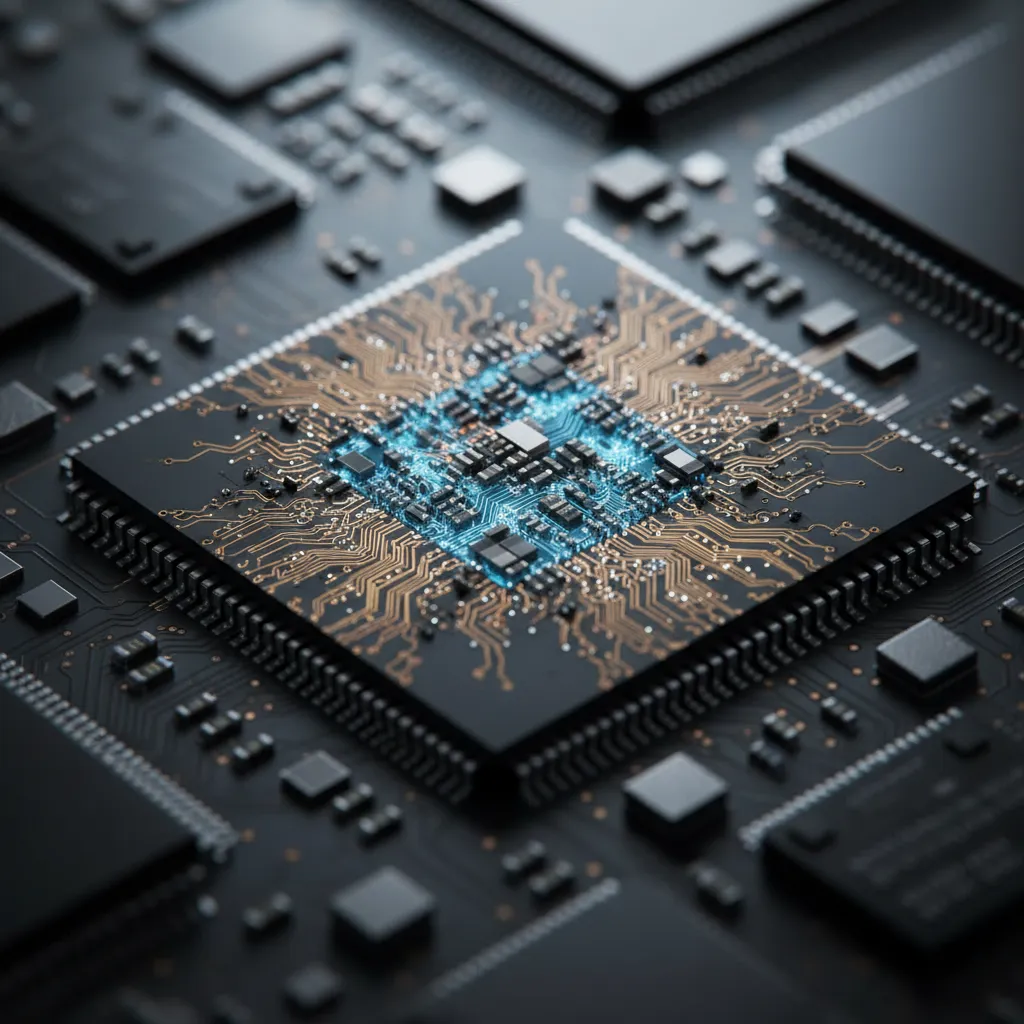
Think of it like a kitchen. The CPU is the head chef, directing all operations. The GPU is the pastry team, masterfully handling complex, parallel tasks like decorating a cake. The NPU is a dedicated sous-chef who has spent years perfecting a single, complex sauce—they can make it faster, better, and with far less energy than anyone else in the kitchen. This specialization is key to enabling powerful, all-day AI experiences without draining your battery. The true NPU explained is that it makes persistent, background AI feasible on a laptop.
CPU vs. GPU vs. NPU: The Power Trio
Modern computing relies on heterogeneous computing—using the right processor for the right job. Copilot+ PCs perfect this trifecta.
- CPU (Central Processing Unit): Remains the brain of the operation, running the operating system and most of your day-to-day applications like web browsers and word processors.
- GPU (Graphics Processing Unit): Continues to handle everything visual, from your user interface and video playback to gaming and 3D modeling. It can also assist with some AI tasks but is less power-efficient than an NPU.
- NPU (Neural Processing Unit): Takes over the sustained AI workloads. It’s designed for the low-precision math that powers AI models, allowing it to perform these tasks at a fraction of the power cost of a CPU or GPU.
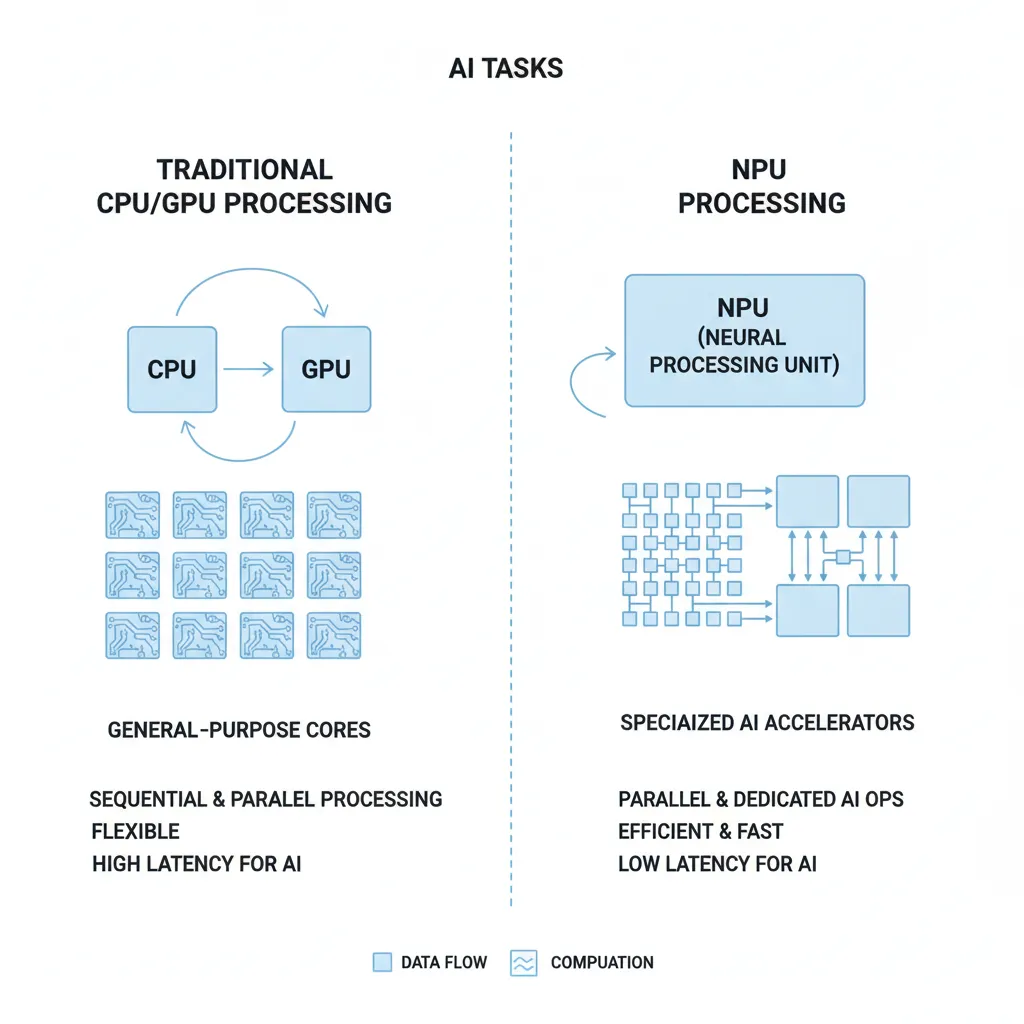
This teamwork means your computer doesn’t slow to a crawl when an AI feature is running. The NPU handles the AI, leaving your CPU and GPU free to keep the rest of your system running smoothly, delivering truly AI enhanced performance.
The Benefits of On-Device AI
Running AI on the NPU locally, rather than in the cloud, unlocks several profound advantages:
- Blazing Speed: With local AI processing, there’s no latency. AI features respond instantly because the data doesn’t need to be sent to a server, processed, and sent back.
- Enhanced Privacy: This is a huge one. Your data stays on your device. Features that analyze your screen or documents do so locally, so sensitive information is never uploaded to the cloud without your consent.
- Incredible Efficiency: NPUs are the key to power efficient AI PCs. They allow for complex AI tasks to run continuously in the background while sipping power, enabling true all-day battery life even with heavy AI usage.
- Reduced Costs: By processing locally, you’re less reliant on cloud subscriptions for core AI functionality. The intelligence is part of the device you own.
Meet the Star Player: The Snapdragon X Elite Chip
The first wave of Copilot+ PCs is powered by Qualcomm’s groundbreaking Snapdragon X Elite processor. This chip is a monumental step forward for Windows on ARM, an initiative to bring the power efficiency and instant-on performance of mobile chips to the Windows ecosystem.
For years, ARM-based Windows laptops struggled with performance and app compatibility. The Snapdragon X Elite, however, is a different beast. It features a powerful custom Oryon CPU, an integrated Adreno GPU, and, crucially, a Hexagon NPU capable of 45 TOPS, exceeding Microsoft’s stringent Copilot+ requirements.
Early benchmarks and reviews show the Snapdragon X Elite not only competing with but often beating the top offerings from Apple, Intel, and AMD in both performance and efficiency. This marks the first time that Windows on ARM devices are not just viable alternatives but are poised to be leaders in the premium laptop space. This new laptop technology is setting the stage for a major shakeup in the PC market, and while Qualcomm is first, new AI-ready chips from Intel (Lunar Lake) and AMD (Strix Point) are hot on their heels.
The Magic in Action: Exclusive Copilot+ PC Features
So, what can you actually do with all this power? The Copilot Plus PC features are designed to be practical, intuitive, and deeply integrated into the Windows experience. They represent some of the most compelling AI PC applications to date.
Recall: Your Photographic Memory for Your PC
Perhaps the most talked-about feature is Recall. It works by taking snapshots of your screen every few seconds, creating a browsable, searchable timeline of virtually everything you’ve ever seen or done on your PC. Using AI, Recall allows you to search this timeline using natural language.
Can’t remember the name of that website with the blue logo your colleague showed you last week? Just search “blue design website from last week” and Recall can find it. It’s an incredibly powerful tool for rediscovering information. Amid initial privacy concerns, Microsoft has updated Recall to be an opt-in feature, with all processing done locally on the NPU and the database fully encrypted on your device, giving you complete control.
Cocreator in Paint and Photos
This feature brings generative AI to your creative workflow. In Microsoft Paint, you can now sketch a simple drawing, type a text prompt, and watch as Cocreator generates a detailed, high-quality image based on your input. It’s a remarkable fusion of human creativity and AI assistance. Similarly, in the Photos app, you can use AI to reimagine your pictures with new styles or generate new backgrounds. This is a perfect example of AI for productivity in a creative context.

Live Captions with Real-Time Translation
Imagine watching a video or being on a live call in any language and seeing real-time subtitles in English appear on your screen. That’s the power of Live Captions on Copilot+ PCs. The NPU processes any audio coming from your speakers and translates it into English captions on the fly, breaking down language barriers for everything from foreign films to international business meetings.

Studio Effects and App-Specific Enhancements
Video calls get a major upgrade. Windows Studio Effects now run on the NPU, providing higher-quality background blur, automatic framing, and a clever eye-contact feature that makes it seem like you’re always looking at the camera. Because these are offloaded to the NPU, they have a minimal impact on performance and battery life.
Furthermore, major third-party apps are getting in on the action. Apps like DaVinci Resolve, CapCut, and Adobe Photoshop are being optimized to use the NPU for AI-powered features, resulting in dramatically faster performance for tasks like object removal, timeline scrubbing, and applying effects. Related: The AI Revolution in Content Creation: Your Ultimate Guide.
Who Should Buy a Copilot+ PC? Exploring the Use Cases
With all this new laptop technology, the big question is: are Copilot Plus PCs worth it? The answer depends on your needs, but for many users, the benefits are compelling. Let’s look at the key AI PC use cases.
The Creative Professional
For artists, designers, video editors, and musicians, the answer is a resounding yes. The ability to run generative AI tools locally with Cocreator and the massive performance boosts in creative apps that leverage the NPU can significantly speed up workflows. The long battery life also means they can create from anywhere without being tethered to a power outlet.
The Business Professional & Student
The combination of all-day battery life, instant-on performance, and powerful productivity tools makes these devices ideal for work and school. Features like Recall can make finding notes and documents effortless. Enhanced video conferencing with Studio Effects improves remote collaboration, and real-time translation can be a game-changer for international business. These tools are redefining the modern workplace. Related: AI and the Future of Work: Job Apocalypse or Evolution?.
The Everyday User
Even for casual use, the benefits are tangible. The exceptional battery life and snappy performance create a premium user experience. The integrated AI features make everyday tasks simpler and more enjoyable, from editing family photos to staying connected with loved ones across language barriers.
What About Gamers?
This is the one area where caution is advised for now. While the integrated Snapdragon GPU is surprisingly capable for casual gaming, the Windows on ARM ecosystem is still building its library of natively compatible high-end games. While emulation is improving, users whose primary focus is hardcore gaming may want to wait for the technology to mature or stick with traditional x86 gaming laptops.
The Bigger Picture: The Future of Personal Computing
Copilot+ PCs aren’t just an incremental update; they represent a fundamental rethinking of the personal computer’s role in our lives. We are moving away from a world where all significant AI processing happens in the cloud and toward a hybrid model where our personal devices are intelligent, context-aware companions.
This is the true successor to the failed dream of assistants like Cortana. The future of computing lies in devices that can understand our needs and anticipate our actions based on local AI processing, without compromising our privacy. This powerful, on-device intelligence is what will enable the next generation of truly personal AI assistants and applications. This isn’t just about laptops; this technology will have a profound impact across various sectors. Related: The Future of Medicine: How AI is Revolutionizing Healthcare.
Conclusion: A New Chapter in Computing Begins
The launch of Copilot+ PCs is more than just a product release; it’s the firing of a starting gun for a new race in the tech industry. For the first time, Windows machines have a clear, powerful answer to Apple’s silicon, combining cutting-edge AI hardware with deeply integrated software experiences. These AI laptops deliver on the long-held promise of all-day battery life without sacrificing performance, while introducing genuinely useful AI features that run locally with speed and privacy at their core.
Whether it’s the photographic memory of Recall, the creative spark of Cocreator, or the seamless communication of Live Captions, the AI PC benefits are tangible and transformative. While the ecosystem will continue to grow and evolve, one thing is certain: the era of the intelligent, AI-powered PC is here, and personal computing will never be the same.
Frequently Asked Questions (FAQs)
Q1. What is a Copilot+ PC?
A Copilot+ PC is a new standard for Windows computers specifically designed for artificial intelligence. To qualify, a PC must have a Neural Processing Unit (NPU) capable of over 40 trillion operations per second (TOPS), at least 16GB of RAM, and a 256GB SSD, enabling a new suite of exclusive, on-device AI features in Windows 11.
Q2. What is an NPU and how is it different from a CPU/GPU?
An NPU, or Neural Processing Unit, is a specialized processor built to run AI and machine learning tasks with extreme power efficiency. While a CPU handles general system tasks and a GPU handles graphics, the NPU is optimized for the specific type of math used in AI models, allowing it to run these features quickly without draining the battery.
Q3. Can a Copilot+ PC run all my existing Windows apps?
Yes. The first wave of Copilot+ PCs using Snapdragon X Elite chips run Windows on ARM. This version of Windows can run most traditional x86/x64 apps through a high-performance emulator called Prism. While apps compiled natively for ARM will perform best, the emulation technology is advanced enough to run most of your favorite applications seamlessly.
Q4. Is the ‘Recall’ feature a privacy risk?
Microsoft designed Recall with privacy as a priority. The feature is now opt-in, meaning it’s off by default. All data is processed and stored locally on your device and encrypted by Windows Hello. You have full control to pause, filter, and delete snapshots at any time. Your Recall data is not used to train Microsoft’s AI models.
Q5. Are Copilot+ PCs good for gaming?
Copilot+ PCs are not primarily designed as high-end gaming machines. While the integrated GPUs are capable of running many modern games at respectable settings, the main focus is on AI performance and power efficiency. Game compatibility and performance on Windows on ARM are still growing, so dedicated gamers may prefer traditional gaming laptops for now.
Q6. What is the main benefit of on-device AI vs. cloud-based AI?
The primary benefits of on-device AI are speed, privacy, and efficiency. Tasks run instantly with no internet lag, your personal data stays on your machine instead of being sent to the cloud, and the specialized NPU hardware uses very little power, preserving your laptop’s battery life.
Q7. Which brands are making Copilot+ PCs?
All major Microsoft partners are launching Copilot+ PCs, including Dell, HP, Lenovo, Samsung, Acer, and ASUS. Microsoft is also launching its own Surface Laptop and Surface Pro models that meet the Copilot+ PC standard.