Apple Intelligence: Top AI Features in iOS 18

Introduction: The Dawn of Personal Intelligence
The world of technology shifts constantly, but rarely does it pivot entirely. At Apple WWDC 2024, Apple unveiled Apple Intelligence, marking the most significant foundational overhaul to the core operating systems—iOS 18 AI, macOS Sequoia, and iPadOS 18—since the launch of the iPhone itself. This isn’t just another incremental update; it’s a philosophical leap into AI for iPhone users, redefining what a personal device can do.
So, what is Apple Intelligence?
It is the generative intelligence system seamlessly woven into Apple’s ecosystem, designed specifically to be personal, private, and deeply integrated. Unlike many cloud-centric AI models, Apple Intelligence prioritizes on-device AI, leveraging the immense power of the A17 Pro and M-series chips to process vast amounts of user data without sending it off-device. This dedication to personal context is what sets the entire platform apart.
The core promise of this massive iPhone AI update is to move beyond simple commands and generic responses, turning the device into a truly proactive, context-aware assistant.
In this deep dive, we will explore the iOS 18 AI features list, analyzing the transformative capabilities that will fundamentally change how to use Apple Intelligence across your daily life, from communication and creativity to organization and privacy.
1. The Rebirth of Siri: Contextual Awareness and Action
For years, users have lamented the limitations of Siri. While useful for simple tasks, it often lacked the necessary contextual awareness to handle complex, multi-step requests. The new Siri update powered by Apple Intelligence changes that narrative completely.
Next-Level Understanding
The most immediate change is the ability of Siri to maintain context within conversations and across apps. No more repeating information; Siri remembers the subject you were discussing moments ago.
For instance, you can ask Siri to “Pull up the podcast Mark recommended last week,” and if you’ve recently received a text from Mark mentioning a podcast, Siri will connect those dots, using your personal context to deliver the correct result. This shift from transactional commands to natural, flowing dialogue makes the new Siri features feel intuitive and genuinely helpful.
Screen Awareness
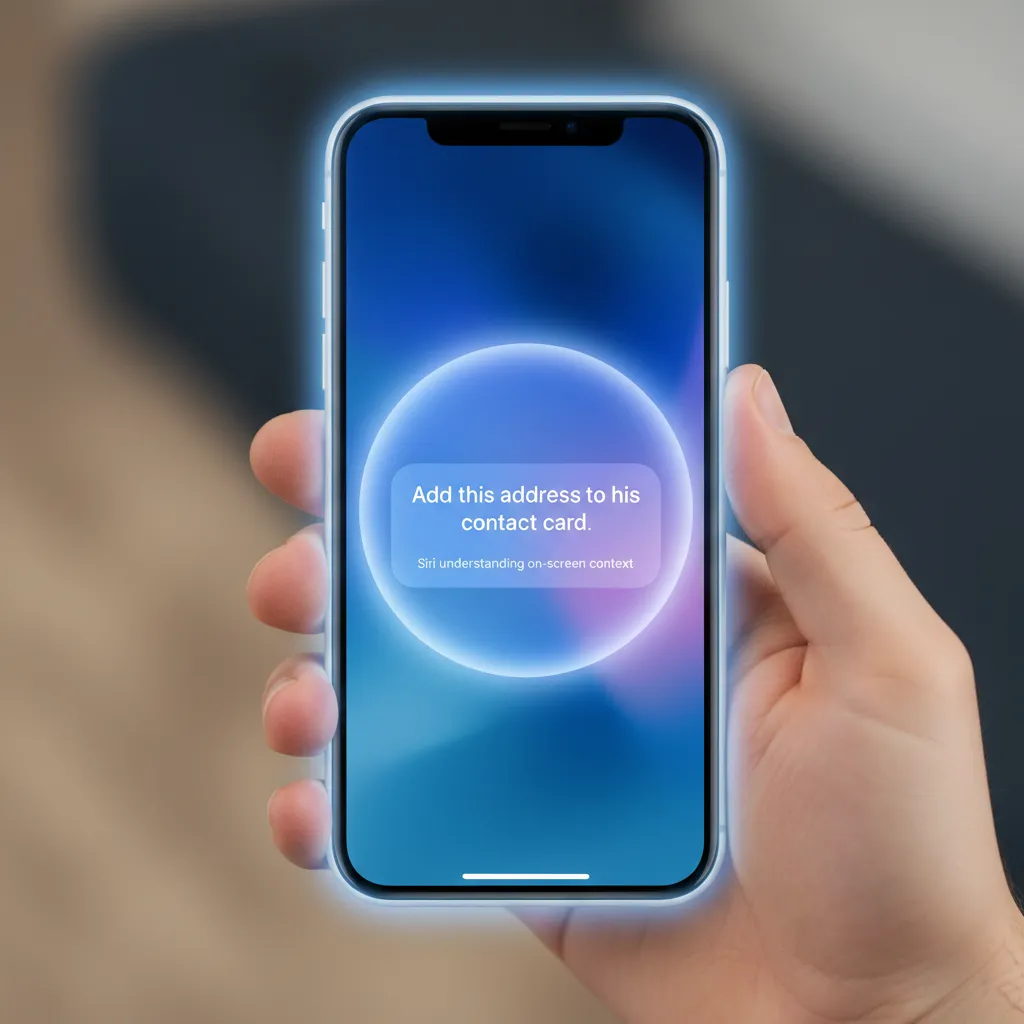
Perhaps the most powerful addition is Screen Awareness. Siri can now see and understand what is currently on your screen, allowing for actions within apps that were previously impossible.
- Example: While looking at a map of a city, you can ask Siri, “Send my wife the address of the restaurant closest to this park.” Siri understands “this park” refers to the location currently displayed on the map and uses your contact information to execute the action.
The interface itself is also more subtle. When activated, a subtle glow appears around the edge of the screen, indicating that Siri is listening and processing, avoiding the disruptive full-screen takeover of the past.
[Related: boost-your-day-top-10-ai-productivity-tools-for-peak-performance/]
2. Mastering Communication with AI Writing Tools
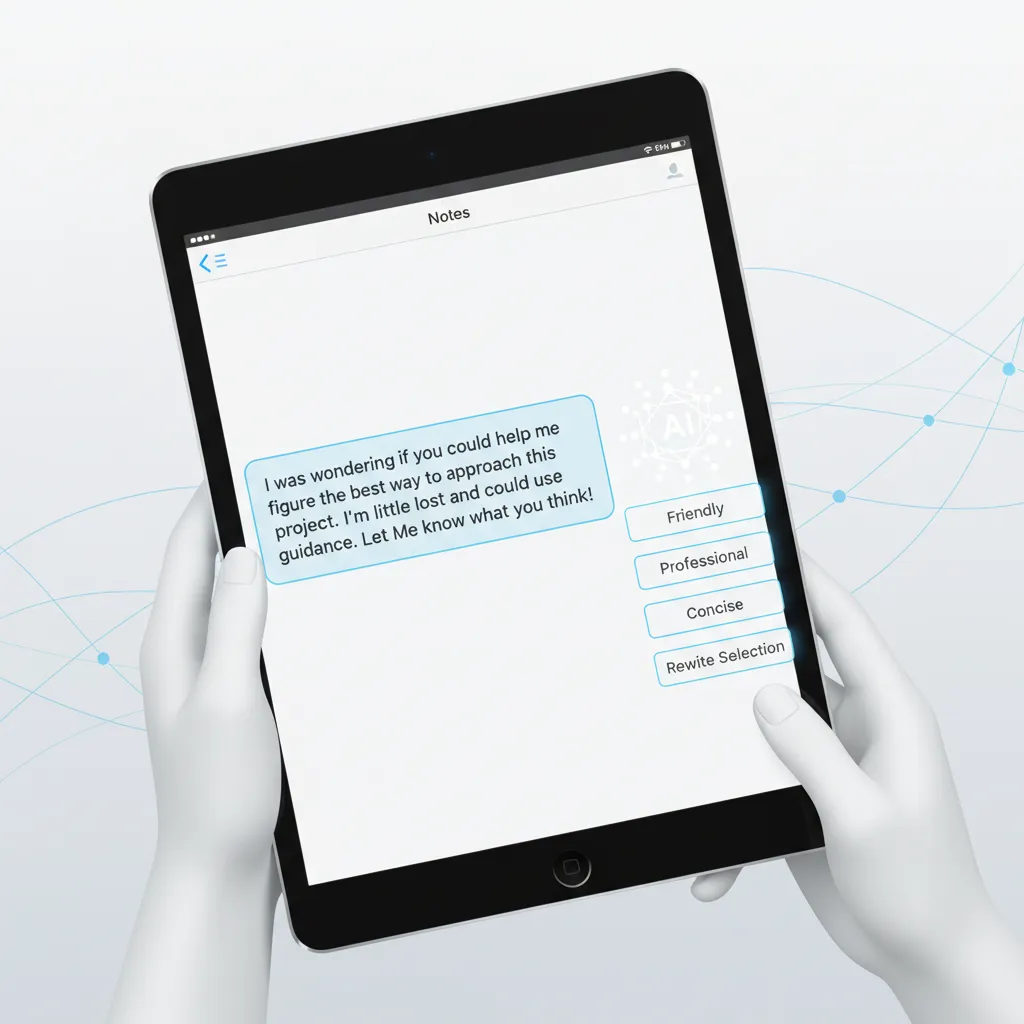
One of the most practical and immediate changes users will experience in iOS 18 AI is the implementation of writing tools AI Apple across the system, including Mail, Notes, Pages, and third-party apps. These tools function as a sophisticated personal editor, accessible via a simple tap.
System-Wide Writing and Proofreading
The three primary writing enhancements are:
- Rewrite: This feature, sometimes referred to as the Siri rewrite feature (as it is powered by Apple Intelligence), allows you to instantly generate alternative versions of your text based on different tones—professional, casual, concise, or dramatic. If you draft a frustrated email, Rewrite can instantly transform it into a polite, official response.
- Proofread: Beyond simple spelling and grammar checks, the AI assesses flow, word choice, and overall clarity. It provides suggestions for tightening sentences and ensuring consistency, elevating the quality of your writing instantly.
- Summarize: Essential for quickly processing long texts. Whether it’s a lengthy email chain, a document in Pages, or a transcript in Notes, the Summarize feature distills the key points into digestible bullet points. This is critical for improving digital literacy and efficiency.
These functions bring high-level editorial capabilities to every user, ensuring professional and error-free communication across all platforms running iOS 18 AI.
3. Creative Expression: Genmoji and Image Playground AI Tool
The introduction of generative AI is not just about productivity; it’s about fun and self-expression. Apple Intelligence introduces two key creative tools: Genmoji and Image Playground.
Genmoji: Personalized Emojis
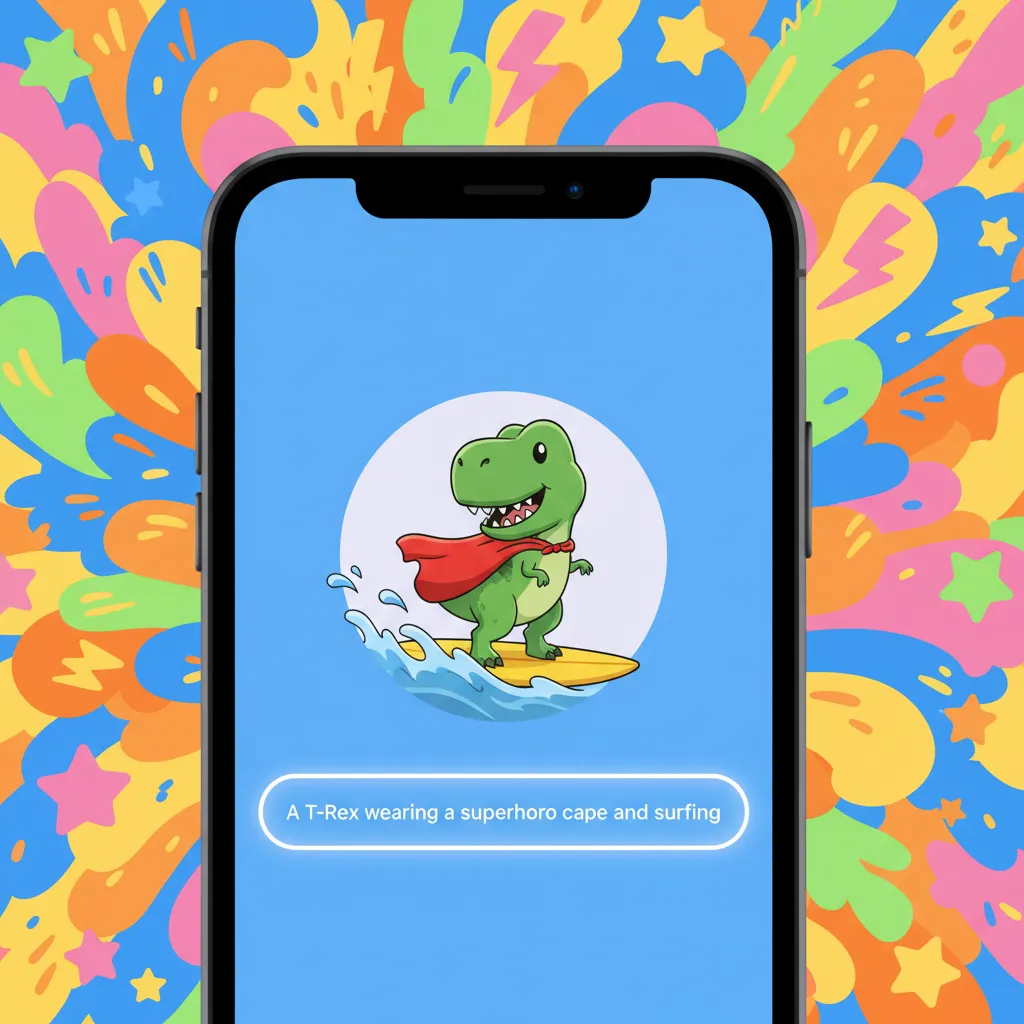
Forget the existing library of standard emojis. Genmoji allows users to create custom emojis on the fly simply by typing a description. For example, typing “A smiling dinosaur wearing a chef hat” generates a unique, expressive Genmoji that can be used directly inline within iMessage, adapting to the current conversation’s tone.
While the specific Genmoji release date is tied to the full public release of iOS 18, this feature demonstrates Apple’s commitment to making generative AI simple and integrated into daily messaging habits.
Image Playground: Instant Image Creation
The Image Playground AI tool is Apple’s answer to quick, contextual image generation. It is integrated directly into apps like Messages, Notes, and Freeform. Crucially, it operates in three distinct styles: Animation, Illustration, and Sketch.
Unlike complex, standalone generative AI services, Image Playground focuses on speed and relevance. Users can generate images based on a description of friends or family and the current conversation context.
- Integration Note: If you are discussing travel plans with friends, you can instantly generate a fun illustration of your group on a beach and drop it into the chat, adding a rich, visual layer to the conversation.
[Related: ai-image-generators-creative-content-ethical-concerns/]
4. Unpacking Privacy: Apple Private Cloud Compute (PCC)
For many users, the primary concern with powerful AI models is privacy. If AI is going to process my entire digital life (emails, photos, notes, calendar), how can I trust the system to keep it secure? Apple’s answer is the innovative Apple Private Cloud Compute (PCC).
The Foundation of Trust: On-Device and Private Cloud
Apple Intelligence runs primarily using on-device AI. This means that for simple tasks like minor text edits or photo organization, the data never leaves your iPhone. This maximizes speed and security.
However, some tasks—like generating complex images or tapping into broader knowledge—require more computational power than a phone can provide. This is where Apple Private Cloud Compute steps in.
PCC is a system of dedicated, custom-built Apple servers running Apple silicon. When a complex task is required, the iPhone sends a request to the PCC. The critical difference is the stringent privacy safeguards:
- No Storage: The servers process the request but do not store the data. The information is ephemeral.
- No Identity Linking: Apple’s system ensures that the data sent to the cloud cannot be linked back to the user’s Apple ID or personal account.
- Transparency: Apple states that the software running on the PCC servers will be cryptographically verifiable by security researchers, demonstrating that only the agreed-upon code is running and that no data logging occurs.
This robust mechanism establishes Apple private AI as a groundbreaking model for combining immense cloud power with an uncompromising commitment to user privacy, which is often a major differentiator when considering Apple Intelligence vs ChatGPT or other large language models (LLMs).

5. Core App Enhancements Powered by Apple Intelligence
The integration of Apple AI isn’t limited to a few marquee features; it permeates the entire operating system, making everyday tasks smoother and less distracting.
Mail Categorization and Summarization
The iOS 18 Mail app receives a significant upgrade, adopting intelligence to manage the notorious email overload. iOS 18 mail categorization automatically sorts incoming messages into dedicated folders:
- Primary: Important personal or professional emails.
- Transactions: Receipts, order confirmations, and bills.
- Updates: Newsletters and social notifications.
- Promotions: Marketing emails.
Furthermore, Mail can use the Summarize feature (mentioned earlier) to give you a quick digest of long, dense email threads, allowing you to catch up on complex group projects or lengthy customer service exchanges in seconds.
Focus and Notification Management
The constant deluge of notifications is a major detractor from productivity. Apple Intelligence introduces sophisticated priority notifications iOS 18. The system learns which notifications are genuinely important to you based on your current activities, location, and the sender’s identity, ensuring high-priority alerts break through while suppressing less urgent ones.
It also introduces the ability to summarize notifications AI. Instead of seeing dozens of individual messages from a group chat, you might see a single notification card summarizing the general sentiment (“Group chat discussing dinner plans for Friday”). This subtle shift dramatically reduces cognitive load.
Photo and Video Intelligence
While the Clean Up tool in Photos—which intelligently removes distracting objects from the background of images—received significant attention, the AI extends deeper into media management.
- Memory Movies: The ability to generate entire cinematic ‘Memory Movies’ simply by describing what you want (“A short video of our trip to the mountains last summer set to happy music”) demonstrates true multimodal AI photo editing iOS 18 capabilities, automatically selecting the best clips and photos and stitching them together.
[Related: ai-wearable-tech-revolutionizing-health-wellness/]
6. Device Eligibility and Rollout: Who Gets Apple Intelligence?
A major point of discussion since the announcement has been compatibility. Given the demanding nature of on-device AI, the computational requirements for running Apple Intelligence are high.
The A17 Pro Requirement
Apple Intelligence features are not available on all devices running iOS 18. This is a critical detail for users anticipating the iPhone AI update. The AI capabilities are limited to devices featuring the A17 Pro chip or later, or M-series chips.
- Supported iPhones: iPhone 15 Pro and iPhone 15 Pro Max (and future iPhones).
- Supported iPads: iPad Pro and iPad Air models with the M1 chip or later (iPadOS 18 AI).
- Supported Macs: Macs with the M1 chip or later (macOS Sequoia AI).
This means that while the core iOS 18 beta features like customizable Home Screens will be widely available, the transformational generative AI features require the high-performance Neural Engine capabilities found in the latest chips. If your device doesn’t meet this threshold, you will only see the basic OS updates, not the Apple Intelligence suite.
This strategic hardware limitation ensures the integrity and speed of the on-device AI experience, maintaining Apple’s reputation for seamless performance.
7. The Big Picture: Apple Intelligence vs ChatGPT Integration
In a surprising, yet pragmatic move, Apple announced a partnership with OpenAI, integrating ChatGPT into the Apple Intelligence ecosystem. This raised immediate questions about the competitive landscape: Apple Intelligence vs ChatGPT.
A Strategic Alliance, Not a Replacement
It is vital to understand that Apple Intelligence is the default, primary, and private generative model that handles 99% of personal tasks using personal context. It is designed to be deeply intertwined with your apps and data while prioritizing privacy via PCC.
ChatGPT integration Apple is an optional layer used for tasks that require vast, world-knowledge generation, or complex, free-form conversational queries.
- When Apple Intelligence is used: Summarizing a note, finding a photo, rewriting an email, managing notifications. (Private and contextual).
- When ChatGPT is invoked: Asking for complex creative writing prompts, seeking detailed summaries of historical events, or general knowledge Q&A that requires broad internet knowledge. (User is prompted and must consent to share the query with OpenAI).
This partnership is ingenious because it allows Apple to immediately offer cutting-edge world knowledge without compromising its core privacy philosophy. The system intelligently detects when a query exceeds its personal, private knowledge base and offers the powerful external model as a supplementary tool.
This intelligent delegation ensures that the most sensitive data remains safe and processed by Apple private AI, while still providing access to the expansive capabilities of a leading external LLM when needed.
[Related: ai-revolutionizing-personal-finance/]
Conclusion: A New Standard for Personal Computing
The debut of Apple Intelligence in iOS 18 AI is far more than a software update; it is a foundational shift that places the user’s personal context and privacy at the absolute center of the generative AI revolution. From the deeply integrated writing tools AI Apple to the creative freedom of Genmoji and the revolutionary security of Apple Private Cloud Compute, these features redefine what we expect from our most personal devices.
The improved Siri update finally delivers on the promise of a truly intelligent assistant, one that understands the content on your screen and the history of your interactions. While the hardware requirements (A17 Pro/M-series) mean that not every device will receive the full suite of capabilities, this choice reinforces Apple’s dedication to quality and performance in its on-device AI execution.
As the iOS 18 beta features roll out and the official public version nears, preparing your device and understanding these new capabilities will be crucial to unlocking a level of productivity and digital interaction previously thought to be science fiction. Apple Intelligence isn’t just about what your iPhone can do; it’s about what it knows about you, and how it uses that knowledge to simplify and enrich your life—all while keeping your data fiercely private.
Get ready for the future of the iPhone.
FAQs
Q1. What is Apple Intelligence?
Apple Intelligence is the personal intelligence system integrated across iOS 18, iPadOS 18, and macOS Sequoia. It combines powerful generative AI models that run primarily on-device with the security of the dedicated Apple Private Cloud Compute to understand, summarize, and create content based on your personal context and data.
Q2. How do I get access to Apple Intelligence?
To use the full set of Apple Intelligence features, you must have a supported device. Currently, this means an iPhone 15 Pro or iPhone 15 Pro Max (with the A17 Pro chip), or any iPad/Mac running the M1 chip or later. The features will become available when the final, stable version of iOS 18 AI is released, typically in the fall.
Q3. Is Apple Intelligence secure, and what is Private Cloud Compute?
Yes, Apple Intelligence is designed with privacy as a core principle. Most simple tasks are handled via on-device AI. For complex requests requiring more power, the system uses Apple Private Cloud Compute (PCC). PCC is a network of Apple silicon-based servers that process requests without storing the data or linking the queries back to a user’s identity, ensuring that Apple private AI remains secure and anonymous.
Q4. Does Apple Intelligence replace ChatGPT?
No. Apple Intelligence vs ChatGPT is a question of complementarity, not competition. Apple Intelligence is the default, private, and contextual AI layer. The ChatGPT integration Apple announced is an optional, supplementary feature for users who need expansive, world-knowledge-based answers or complex creative generation. The user is always asked for permission before a query is routed to ChatGPT.
Q5. Can I use the Image Playground AI tool to create anything?
The Image Playground AI tool is designed for quick, personal image generation within chats and notes, using three styles (Animation, Illustration, Sketch). It integrates contextually but adheres to strict safety guidelines to prevent the generation of harmful, inappropriate, or copyrighted content, ensuring it remains an AdSense-compliant and responsible creative tool.
Q6. Which features rely specifically on my personal context?
Features like the new, screen-aware Siri update, automated iOS 18 mail categorization, and the ability to summarize notifications AI rely heavily on personal context. This context includes your recent messages, calendar events, geographical location, and current screen content, allowing the AI to prioritize information and execute multi-step requests accurately.
Q7. What is the Genmoji release date?
The Genmoji release date is tied to the public release of iOS 18 AI and its accompanying operating systems (iPadOS 18 AI and macOS Sequoia AI). While developers access these features in the beta phase, the full public rollout is expected in the fall, likely around September/October.